Automotive Diagnostics Web + Tablet User Research Design Sprint

ZF Diagnostic System

A web and tablet diagnostic platform that helps automotive technicians find the right repair information in seconds, not minutes. I owned the research and design, traveling to repair shops in three states to test a working prototype with real mechanics before the build began.

Role: Senior Product Designer, research through design

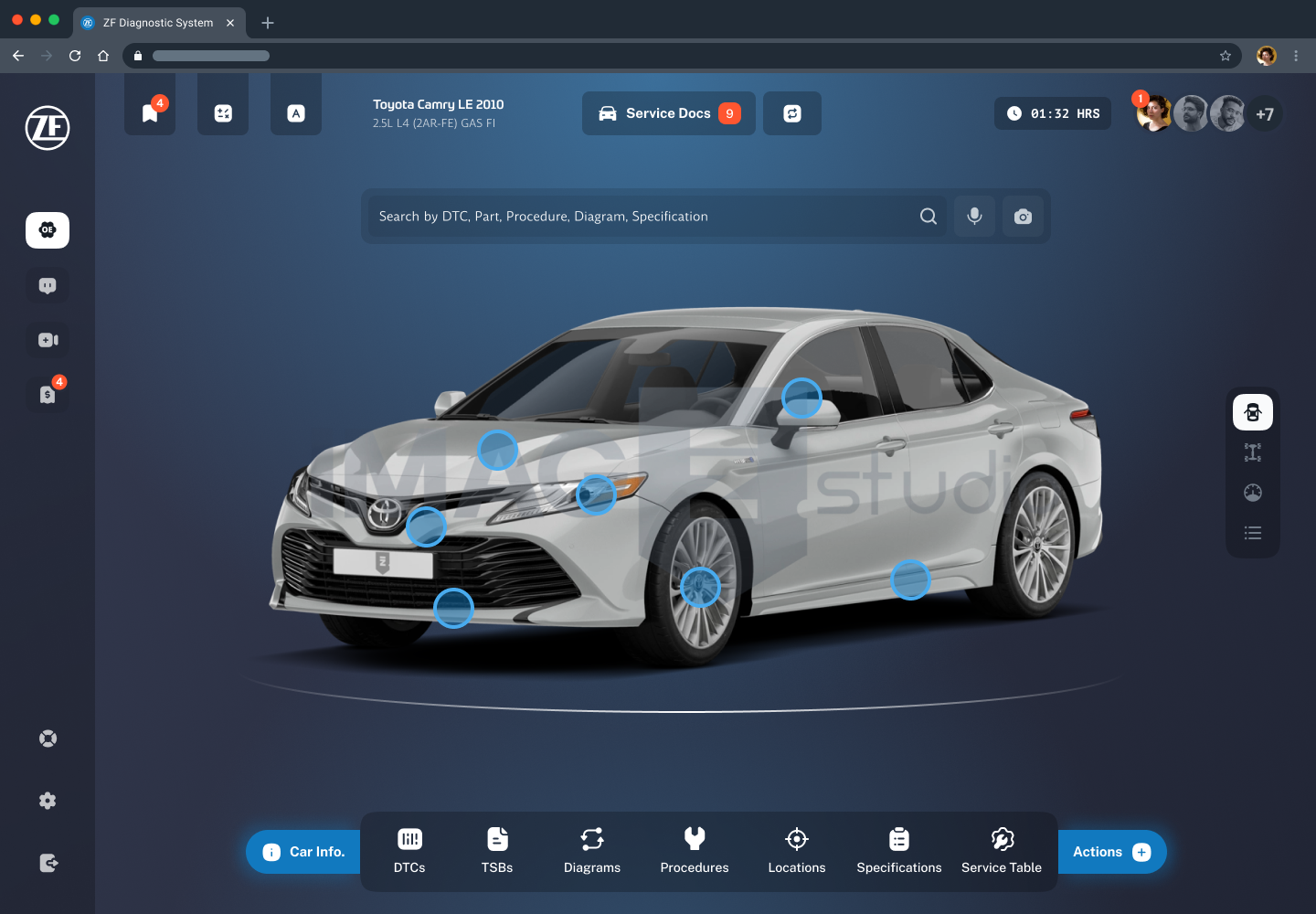
The ZF Diagnostic System home screen: a search bar reading Search by DTC, Part, Procedure, Diagram, Specification above an interactive Toyota Camry with tappable component hotspots and a bottom navigation for DTCs, TSBs, diagrams, procedures, locations and specifications

22

Professionals Interviewed

4

States of Field Research

37

Shops Contacted

10+

Core Screens Designed

Overview Problem Discovery Personas Journeys Design Outcomes Takeaways
01 Overview

A modern diagnostic tool for the shop floor

ZF, one of the largest automotive suppliers in the world, wanted to enter a new market: a fast, modern repair-information platform built for the next generation of technicians. To win, it had to beat the tools shops already trust at the one thing that pays a technician: reaching the right document fast.

Built for

Shop technicians Shop owners Service writers

Client

ZF, German automotive supplier founded in 1915

Platform

Responsive web + tablet

Method

Design Sprint, two research phases

Scope

Research · IA · Prototyping · Visual · Design system

Core capabilities

Select a vehicle Search, VIN or plate, visual confirmation
Unified search One bar across every content type
Content library DTCs, TSBs, diagrams, procedures, specs
Service & quoting Service docs, time tracking, client quotes
AI guidance Search assistance that cites its source
02 The Problem

The information exists, but it is slow to reach

Time is money

Technicians are paid per job

Mechanics are paid per completed repair, not per hour, so every minute spent hunting for a code or a torque spec is income lost. Speed is not a feature, it is the whole value proposition.

Information overload

The right document is buried

DTCs, TSBs, wiring diagrams, procedures, component locations and specifications all live in different places and formats. Finding the one relevant document is the hard part of the job.

Dated incumbents

Trusted on data, tired on experience

The tools shops already pay for (AllData, Mitchell1, Identifix, MotoLogic, Snap-on) are reliable on data but clunky and uninspiring. Switching cost is high and trust is earned slowly.

Two audiences

Technicians and owners want different things

Technicians want raw speed and clarity. Owners want management, quoting and oversight. The product has to serve both without becoming bloated.

The design question: how do we get a technician from "this car has a problem" to "here is exactly the document I need" as fast as possible, in an interface modern enough to earn a switch?

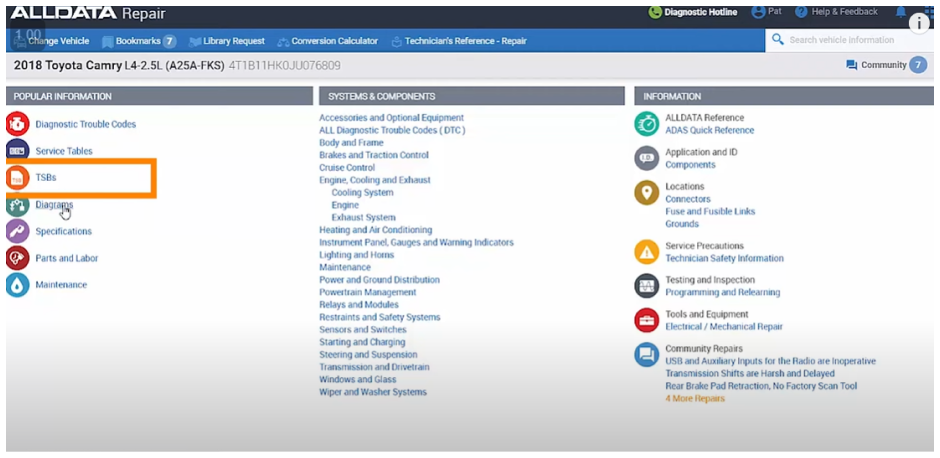
The starting point was the tools mechanics use today. I studied the incumbents first-hand to understand what they get right on data and where they lose the user on experience.

AllData Repair: a dense blue and grey interface listing diagnostic trouble codes, service tables, TSBs and system categories for a 2018 Toyota Camry
AllData Repair
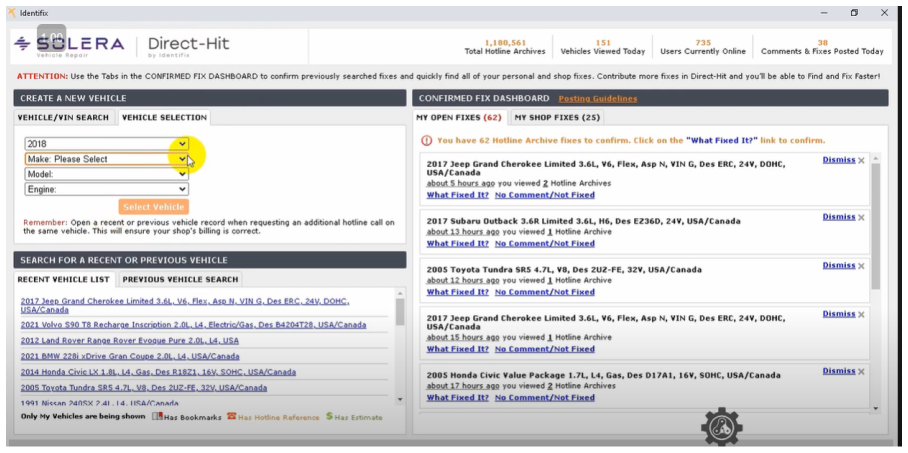
Identifix Direct-Hit by Solera: a busy confirmed-fix dashboard with vehicle selection dropdowns and a long list of hotline archive fixes
Identifix Direct-Hit
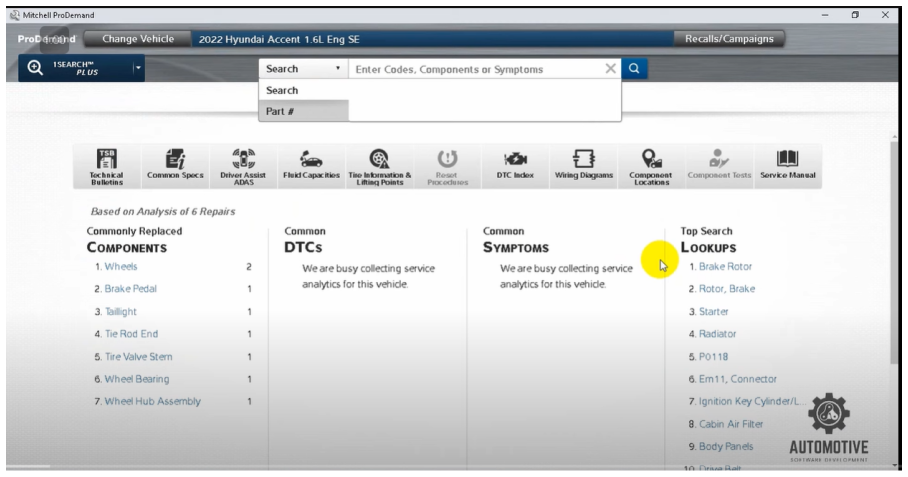
Mitchell1 ProDemand: a repair-information home screen with a search bar, icon toolbar and columns of commonly replaced components and top search lookups
Mitchell1 ProDemand
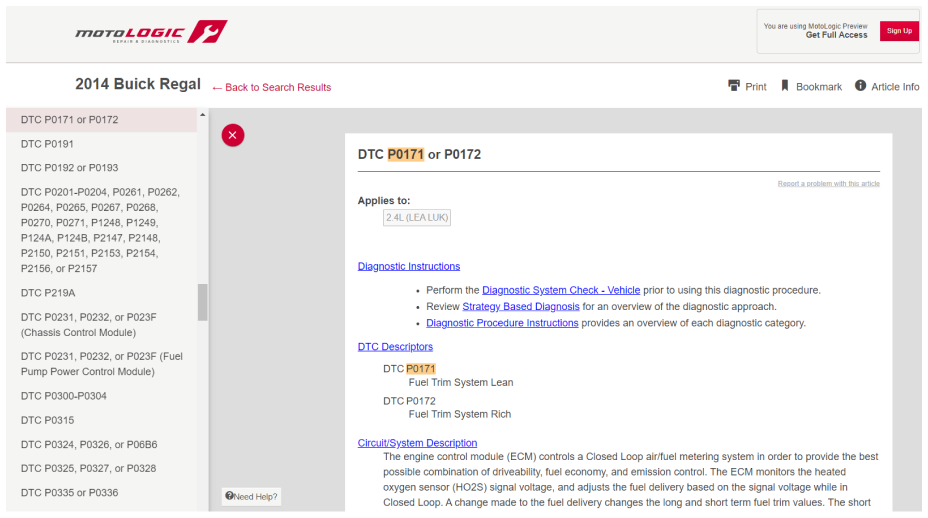
MotoLogic: a diagnostic trouble code article for a 2014 Buick Regal with a left navigation list of DTCs and a long text procedure
MotoLogic
03 Discovery & Research

Discovery, run as a Design Sprint

We ran discovery as a Design Sprint. Before designing anything I needed to understand the market, the data we could build on, and above all the people who would use this every day. That meant a competitor study, a technical study of the data sources, and two rounds of primary research, the second of which I ran on the shop floor with a working prototype.

Market & competitor study

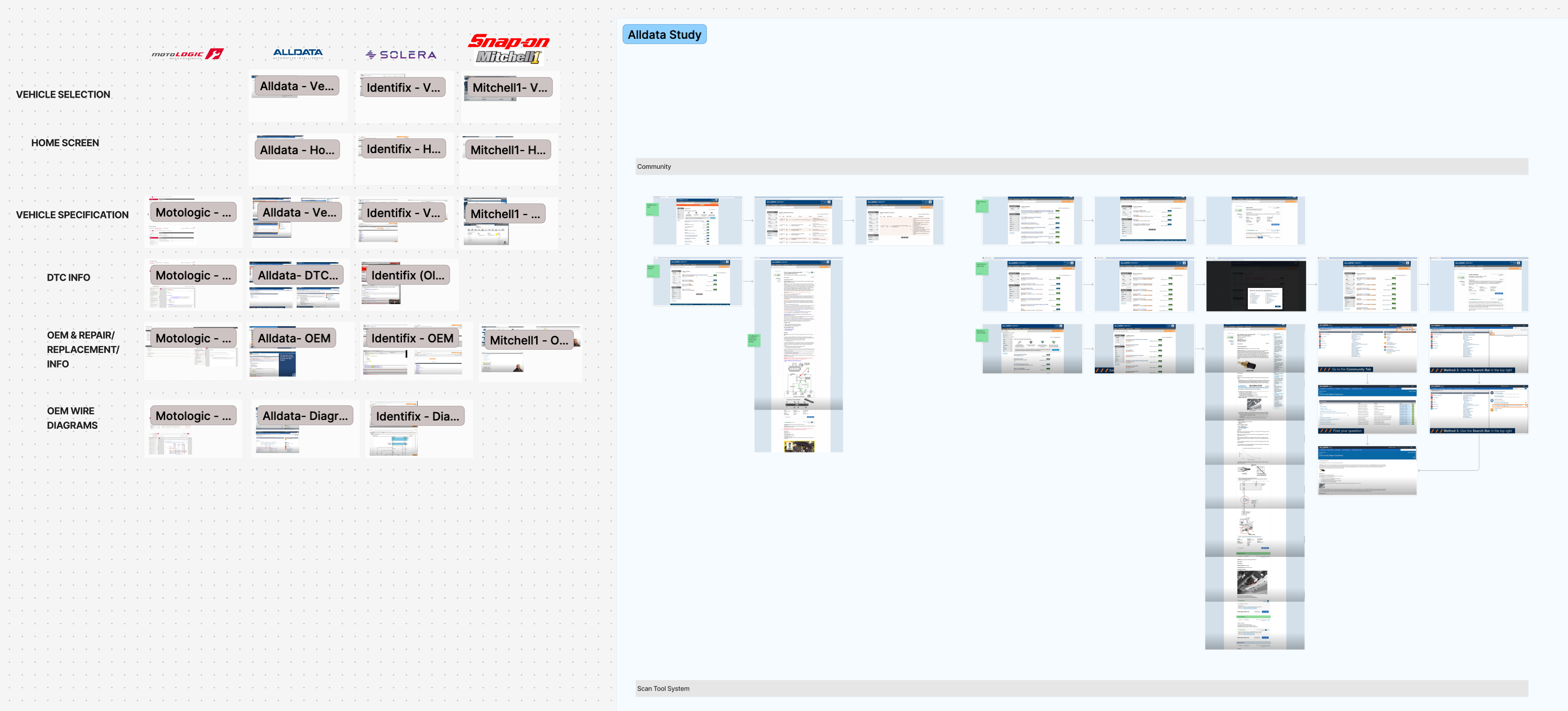
I mapped the incumbents (AllData, MotoLogic, Solera/Identifix, Snap-on and Mitchell1) feature by feature, from vehicle selection to DTC info to wiring diagrams. The pattern was clear: the data is largely commoditized through shared OEM sources, so nobody was winning on experience. That was our opening.

A competitor study board comparing MotoLogic, AllData, Solera and Snap-on Mitchell1 across vehicle selection, home screen, vehicle specification, DTC info, OEM repair info and wiring diagrams, beside a detailed flow map of the AllData experience
Incumbents compared feature by feature, with a full teardown of the AllData flow

Technical discovery: the data backbone

A repair tool is only as good as its data, so I worked through what we could realistically build on. Two integrations shaped the product directly.

MOTOR TruSpeed API. The licensed OEM backbone for DTCs, TSBs, procedures, diagrams and specifications, along with the relations between them. Understanding how MOTOR links a part to its procedures and diagrams shaped the whole information architecture.

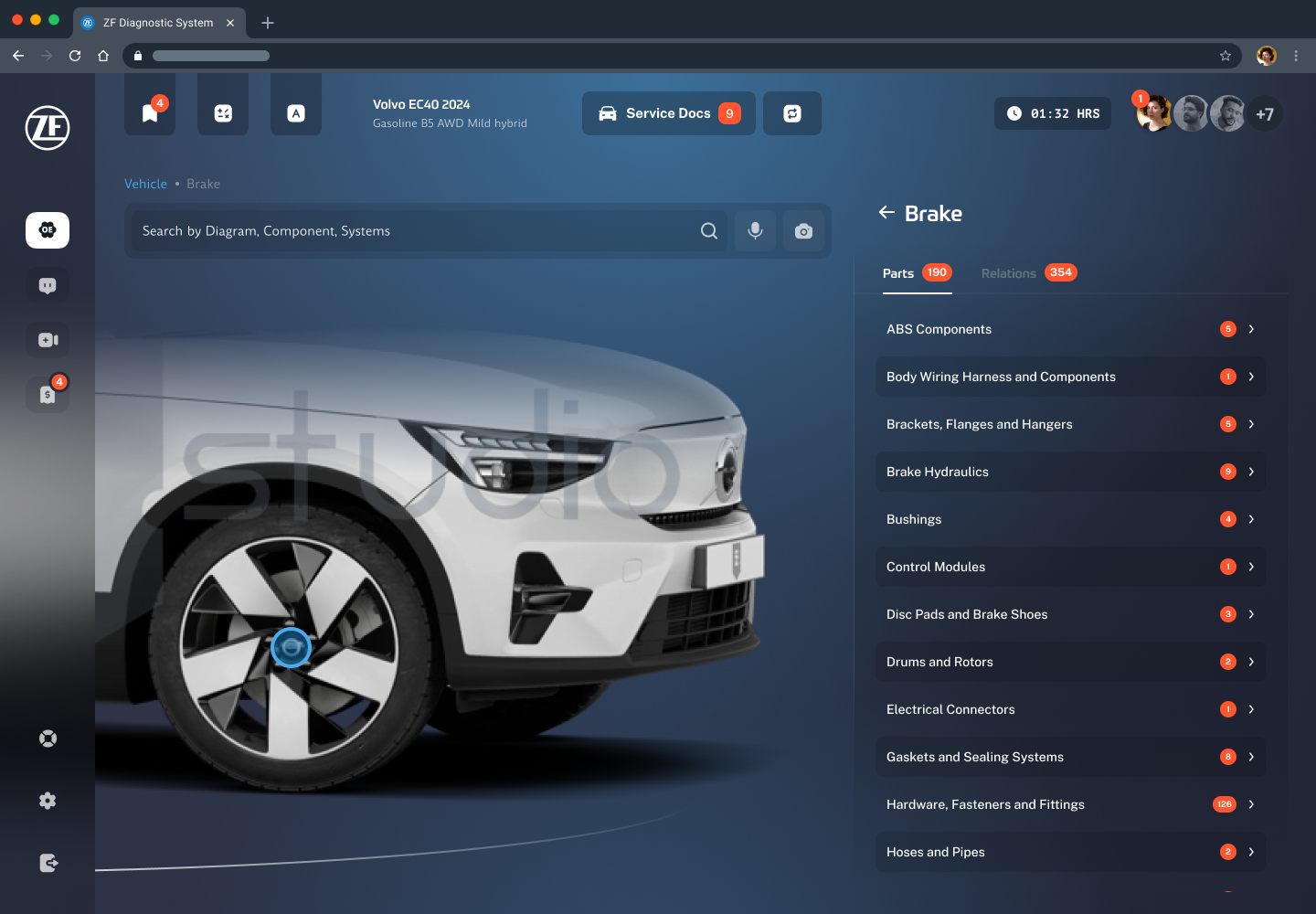
Imagin.Studio. High-quality vehicle imagery, including 360-degree views, so selecting a vehicle is visual and unmistakable and components can be explored right on the car.

A ZF Diagnostic System screen showing a Volvo EC40 rendered by Imagin.Studio next to a Brake section listing parts such as ABS components and brake hydraulics, with Parts and Relations tabs counting 190 parts and 354 relations pulled from MOTOR
The data made visible: Imagin.Studio imagery and MOTOR parts and relations in one view

Field research, round one

Boca Raton, Florida

For the first round I went into the field near our base in South Florida. I contacted 37 shops, a deliberately wide net given how hard it is to get busy technicians to sit down, and landed four in-depth interviews against a goal of five. These first conversations grounded the whole team in how a shop actually runs: who touches a car, how a job flows, and where the friction lives.

37 shops contacted

4 interviews completed

~11% outreach to interview

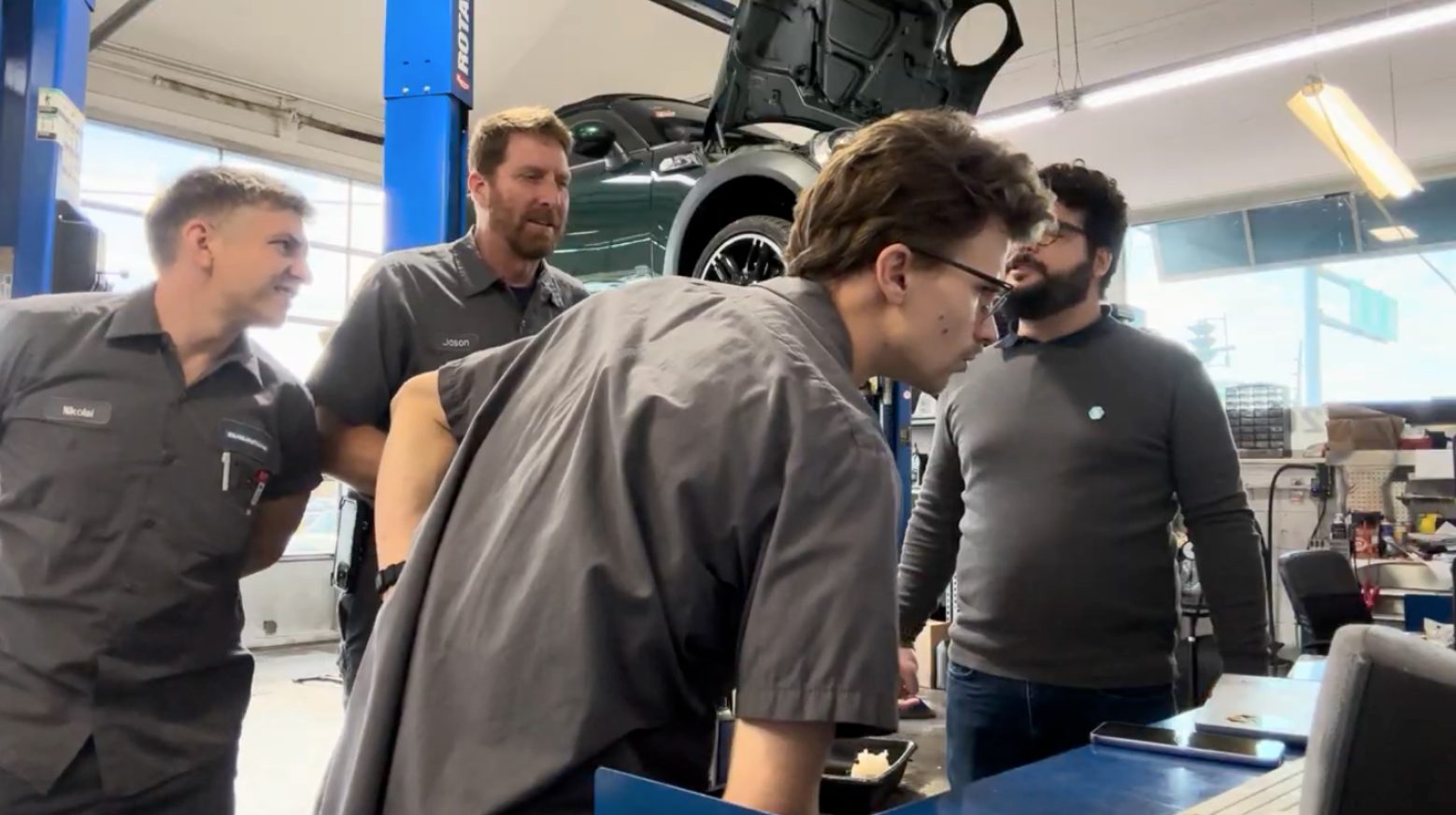
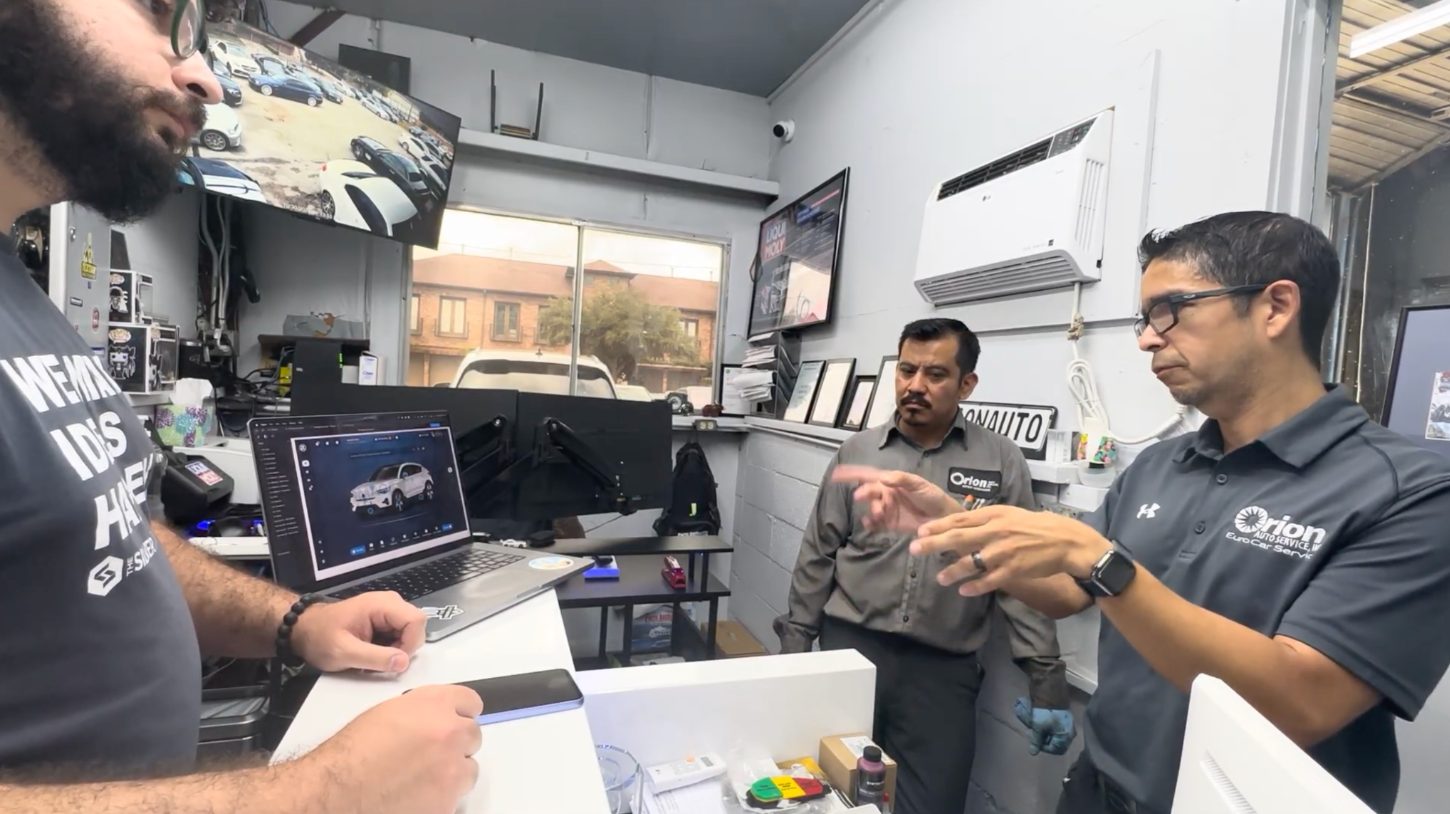
Research session inside a repair shop: technicians in uniform gathered around a workstation with a car raised on a lift behind them
A technician and the research team in conversation on the shop floor during a first-round interview
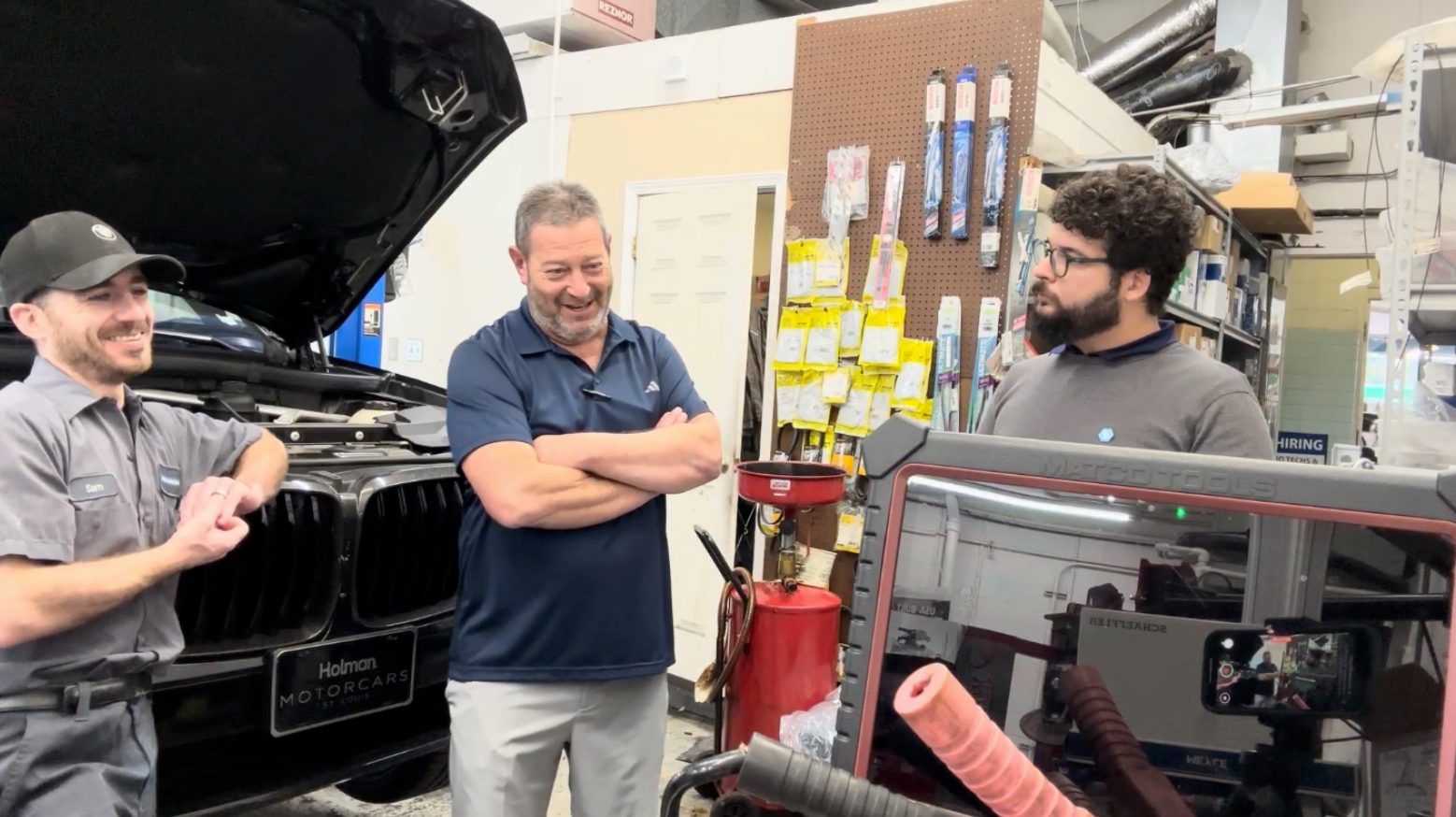
A wider view of a shop workspace during a research visit, with equipment and vehicles in the background
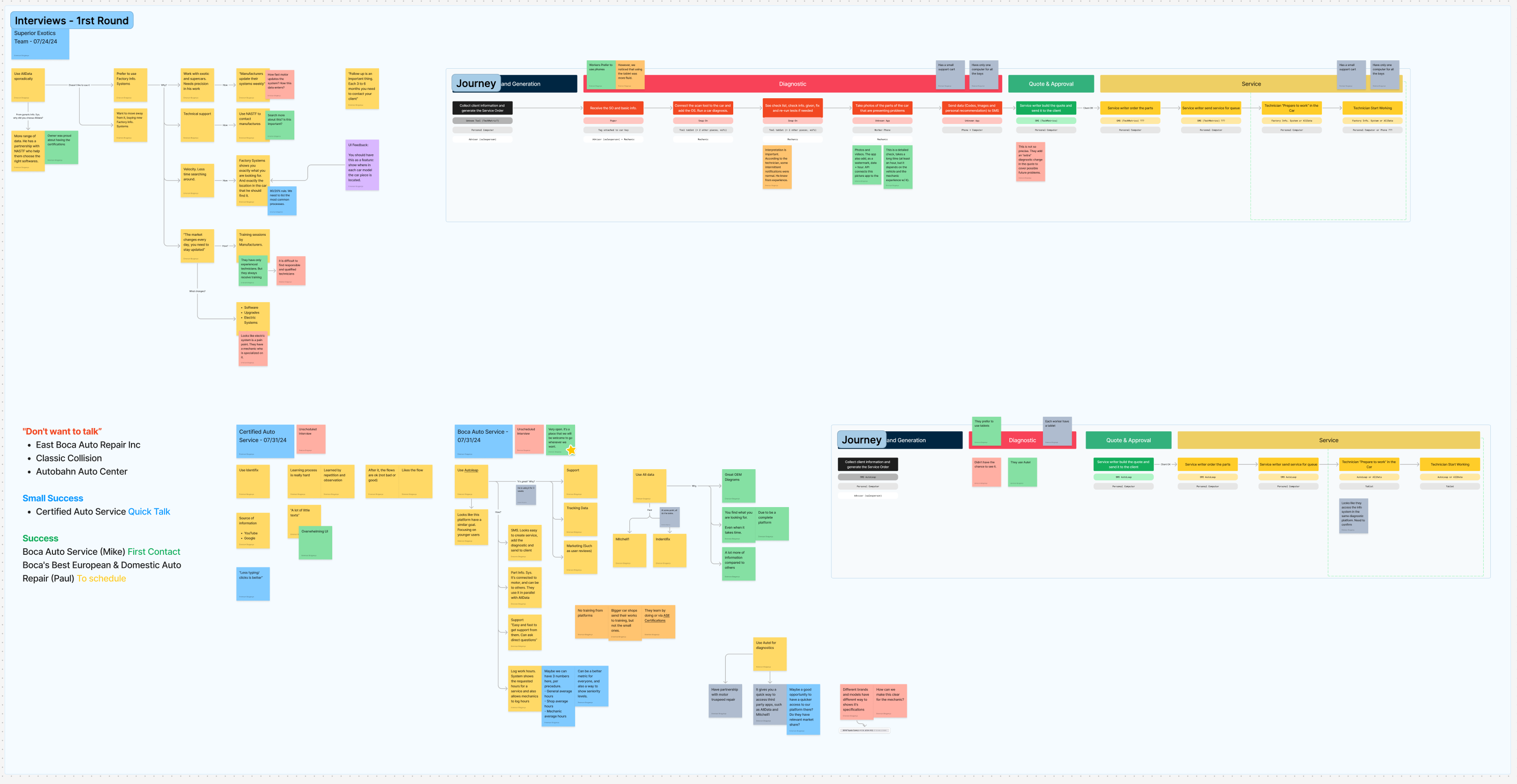
A round-one synthesis board covering interviews with Superior Exotics, Certified Auto Service and Boca Auto Service, with colored sticky notes clustered into themes and a current-state journey map spanning lead generation, diagnostic, quote and approval, and service
Round one synthesis: affinity notes and a current-state map of how a job flows today

Field research, round two

St. Louis, Houston & Alma, Michigan

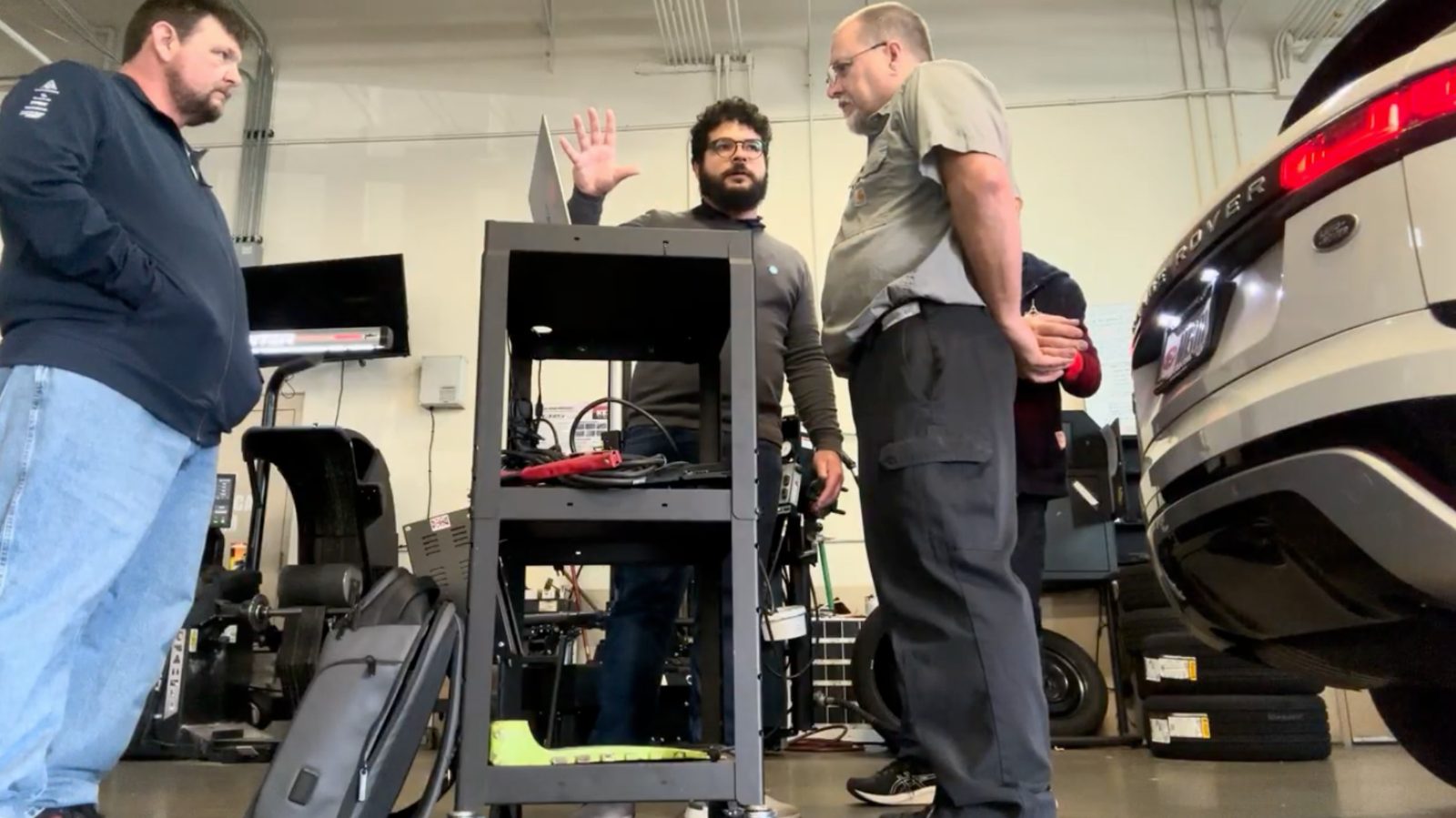
The second round was the heart of the research and the part I am proudest of. Rather than test in a lab, I traveled to shops across three states and put an interactive prototype directly in technicians' hands, on the shop floor, next to the vehicles they were repairing. Around 18 professionals took part, a mix of technicians and owners, and I ran an A/B comparison of search with and without AI assistance. Watching a mechanic use the tool under real time pressure told us more than any survey could.

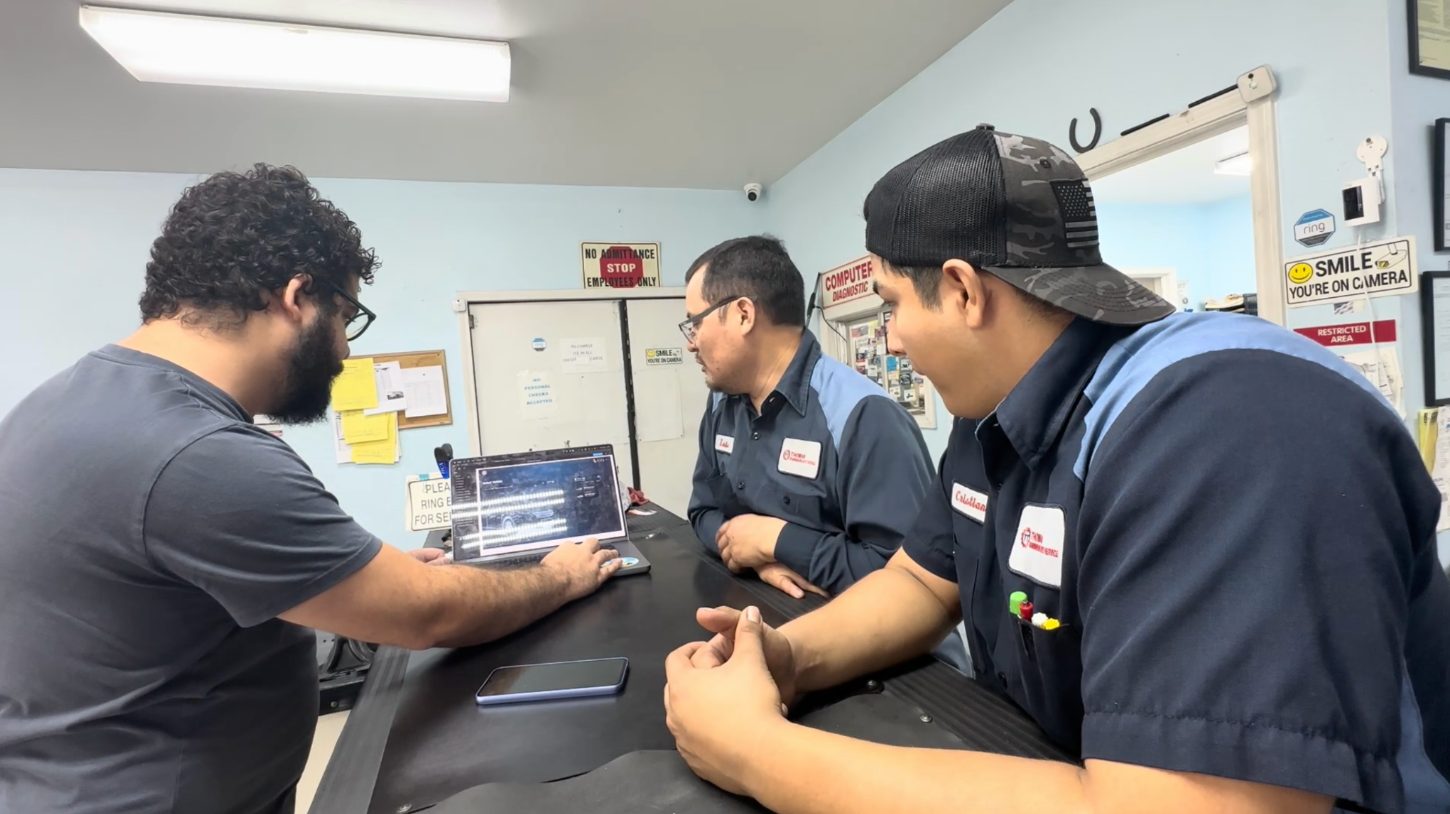
A technician using the ZF Diagnostic System prototype on a device during an on-site usability session in a repair shop
A moderated usability session with a mechanic reviewing the prototype while the research team observes
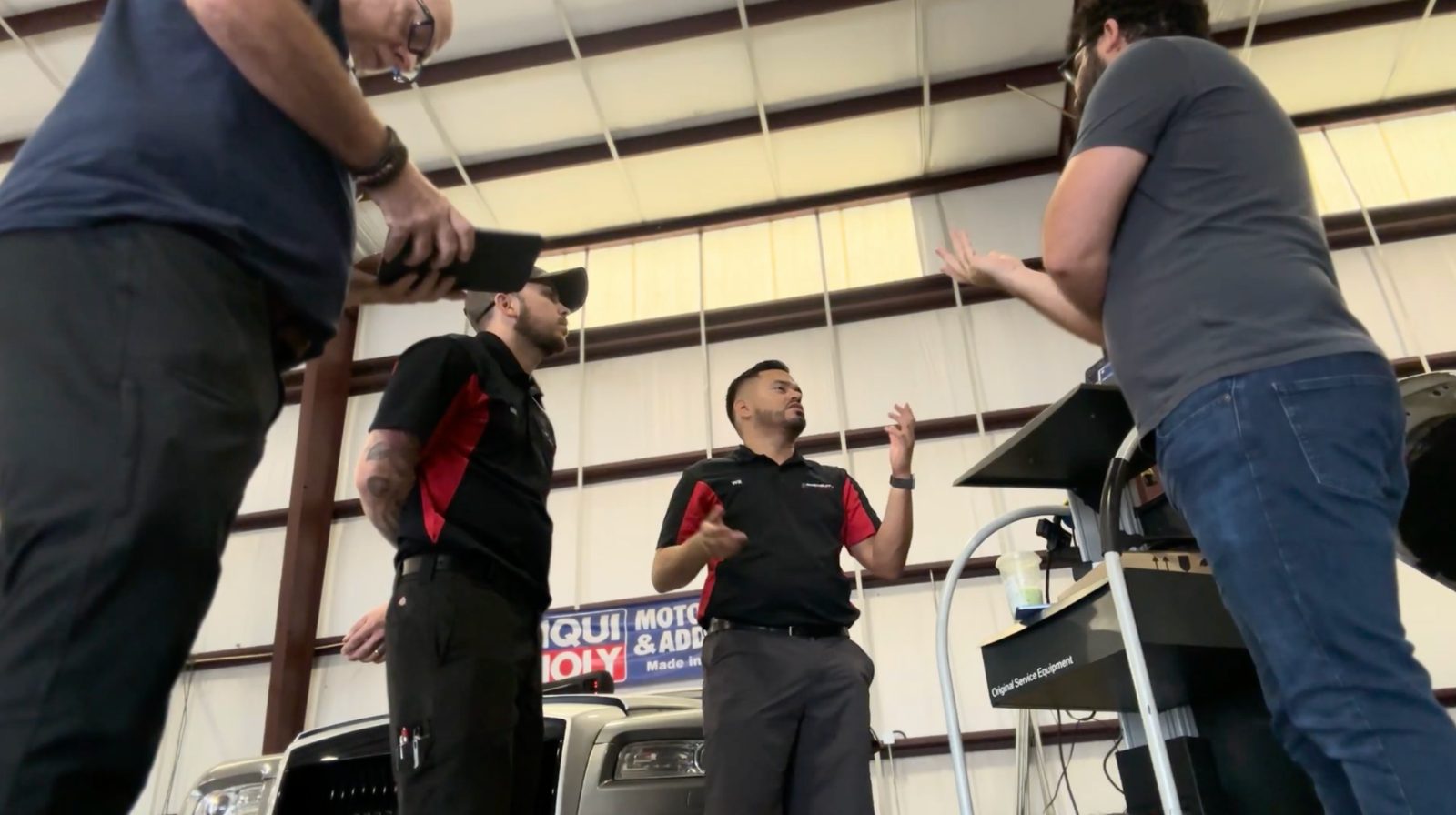
Another on-site testing session with technicians reacting to the diagnostic prototype in the shop
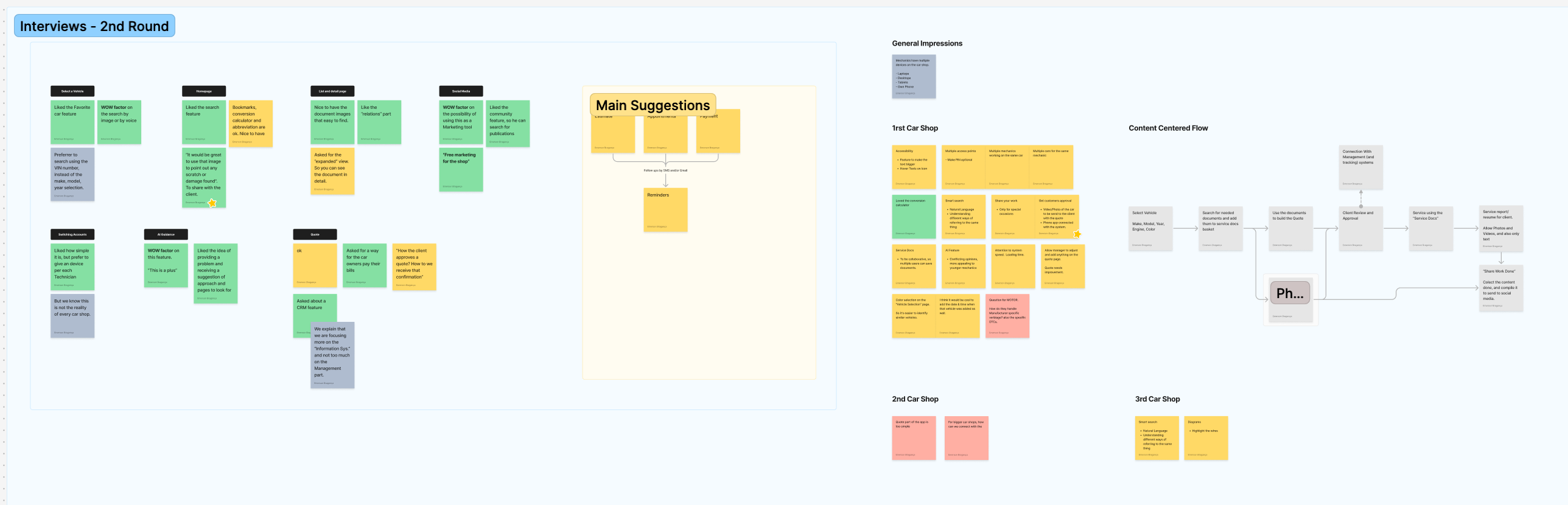
A round-two synthesis board grouping technician feedback by screen area (vehicle select, homepage, detail pages, social, quote, AI guidance), a Main Suggestions cluster, and separate impressions from the first, second and third car shops
Round two synthesis: prototype feedback mapped by feature area, with per-shop impressions and prioritized suggestions

What we heard

Search speed is everything. Because technicians are paid per job, the single most important metric is how fast they reach the right document. This became the north star for every design decision.

The modern look actually mattered. Technicians repeatedly called the prototype "beautiful" and "modern" and named it as a real reason to consider switching. Experience was a differentiator, not decoration.

Desktop-first, not mobile-first. Despite the Gen Z framing, technicians overwhelmingly worked from a desktop at their station. Tablet mattered at the vehicle, but the primary surface was the big screen.

AI helped, with caveats. In the A/B test, AI-assisted search measurably improved satisfaction, but technicians trusted it most when it pointed to a source document rather than answering on its own.

Owners and technicians diverge. Technicians want raw speed. Owners want management, quoting and oversight, and valued those more than AI. The product had to serve both.

04 Personas

Who we designed for

The two research rounds resolved into three user types. The central tension runs between them: speed for the technician, oversight and revenue for the owner, and hard-earned trust for the veteran. Each attribute below is scored on a shared spectrum so the whole team designed against the same reference.

PERSONA 01

The Technician

I get paid per job. If I'm hunting for a wiring diagram, I'm losing money.
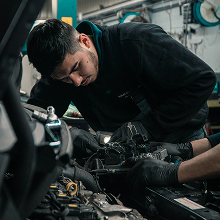
Tyler, a line technician in his late twenties, at his shop bay

Tyler

AGE
27
LOCATION
Mid-size US metro, independent shop
ROLE
Line technician, paid per completed job
ENVIRONMENT
Desktop at his bay, tablet at the vehicle
TOOLS TODAY
AllData, Mitchell1, YouTube, shop manuals

Bio

Tyler grew up with a phone in his hand and expects work software to feel the same. He is quick and confident on diagnostics, but he spends half his day fighting slow, cluttered tools that eat into billable hours. He will adopt anything that gets him to the right document faster, and drop anything that slows him down mid-job.

Haves · Needs · Wants

HAS

Sharp diagnostic instincts, a phone-native reflex for search, and real time pressure every single hour

NEEDS

The exact DTC, diagram or spec in seconds; one search across everything; results he can trust without double-checking

WANTS

A tool that feels modern; history that remembers his cars; AI that speeds him up instead of guessing

Attribute Spectrum

Tech Comfort

5/5

Data Literacy

4/5

Speed Sensitivity

5/5

Patience for Slow Tools

1/5

Usage Frequency

5/5

AI Openness

4/5

Pain Points

  • Slow search directly costs billable time

  • Information is scattered across formats and tools

  • Dated interfaces feel like constant friction

  • Switching tools mid-job breaks his flow

DESIGN IMPLICATIONS

Tyler is paid by the job, so friction is a pay cut. That pressure shaped the search-first home screen, the unified search across every content type, the history-aware pre-filters, and an AI overview that always cites its source.

PERSONA 02

The Shop Owner

AI is nice. What keeps my lights on is quoting jobs and knowing what every tech is doing.

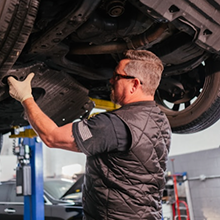
Renee, a shop owner in her forties, at the front desk of her shop

Renee

AGE
46
LOCATION
Suburban US, owner-operated shop
ROLE
Shop owner and manager
COMPANY
Independent shop, 6 to 10 bays, ~15 staff
TOOLS TODAY
Shop management system, spreadsheets, phone, the tool her techs use

Bio

Renee runs the business end to end and sees the diagnostic tool as one part of a bigger workflow. She cares about throughput, revenue per job, and keeping customers informed. Flashy features do not move her; management, quoting and oversight do. She is the one who signs off on the subscription, and she needs to see it pay for itself.

Haves · Needs · Wants

HAS

The buying decision, a whole-shop view, and constant pressure on margins

NEEDS

User management and permissions; fast, accurate quoting; client information in one place

WANTS

Oversight of jobs across techs; reporting she can act on; a tool her techs actually adopt

Attribute Spectrum

Tech Comfort

3/5

Data Literacy

3/5

Speed Sensitivity

4/5

Business Focus

5/5

Usage Frequency

3/5

AI Openness

2/5

Pain Points

  • No single view across techs and jobs

  • Quoting is manual and slow

  • Client details live in too many places

  • Hard to prove a tool's return on cost

DESIGN IMPLICATIONS

Renee ranked management above AI, and the roadmap was reweighted to match: quote management with Draft, Open and Archived states, user permissions, and client information tied to each service.

PERSONA 03

The Veteran

I've trusted the same data for twenty years. Show me it's right, and I'll listen.

Hank, a master technician in his late fifties, decades on the tools

Hank

AGE
58
LOCATION
Established independent shop
ROLE
Master technician, decades on the tools
ENVIRONMENT
Primarily desktop; wary of anything on a small screen
TOOLS TODAY
AllData, Identifix, printed manuals, and his own memory

Bio

Hank has been fixing cars longer than some of these apps have existed. He trusts the incumbent data because it has never let him down, and he is skeptical of switching tools or letting AI answer on his behalf. He is won over only by genuine speed and by AI that always points back to a source he can verify himself.

Haves · Needs · Wants

HAS

Deep expertise, a trusted mental model of the data, and a low tolerance for gimmicks

NEEDS

Accuracy he can verify; no learning curve; the source document behind any answer

WANTS

To keep the reliability he has; proof before trust; nothing that feels like a downgrade

Attribute Spectrum

Tech Comfort

2/5

Data Literacy

5/5

Speed Sensitivity

4/5

Skepticism

5/5

Usage Frequency

4/5

AI Openness

1/5

Pain Points

  • New tools that feel less reliable than the old ones

  • AI that answers with no source to check

  • Change for its own sake

  • Interfaces built for phones, not workstations

DESIGN IMPLICATIONS

Hank needs proof before trust. Every AI answer cites its MOTOR source, OEM documents stay front and center, and the layout is desktop-first. Speed is what finally earns his switch.

1 / 3

05 Journeys & Flows

From "this car has a problem" to the answer

I translated the personas into flows and information architecture. The core journey is simple on the surface and complex underneath: select a vehicle, then navigate a deep, relational content library without ever feeling lost. The information architecture had to mirror MOTOR's data model, where a part connects to its procedures, diagrams and specifications, which is what lets search feel fast and results feel relevant.

1

Tyler diagnoses a fault code

Technician

Select

Selects the vehicle by VIN, confirmed with the visual render before touching anything.

Search

Types the fault code once; unified search spans DTCs, TSBs, diagrams and procedures at the same time.

AI overview

An AI overview reads the code and points to the likely cause, always citing the source.

Open

Opens the DTC detail with its MOTOR relations, the wiring diagram and procedure, right alongside.

Save

Adds what he needs to Service Docs and gets back to the car, minutes saved on a job that pays per fix.

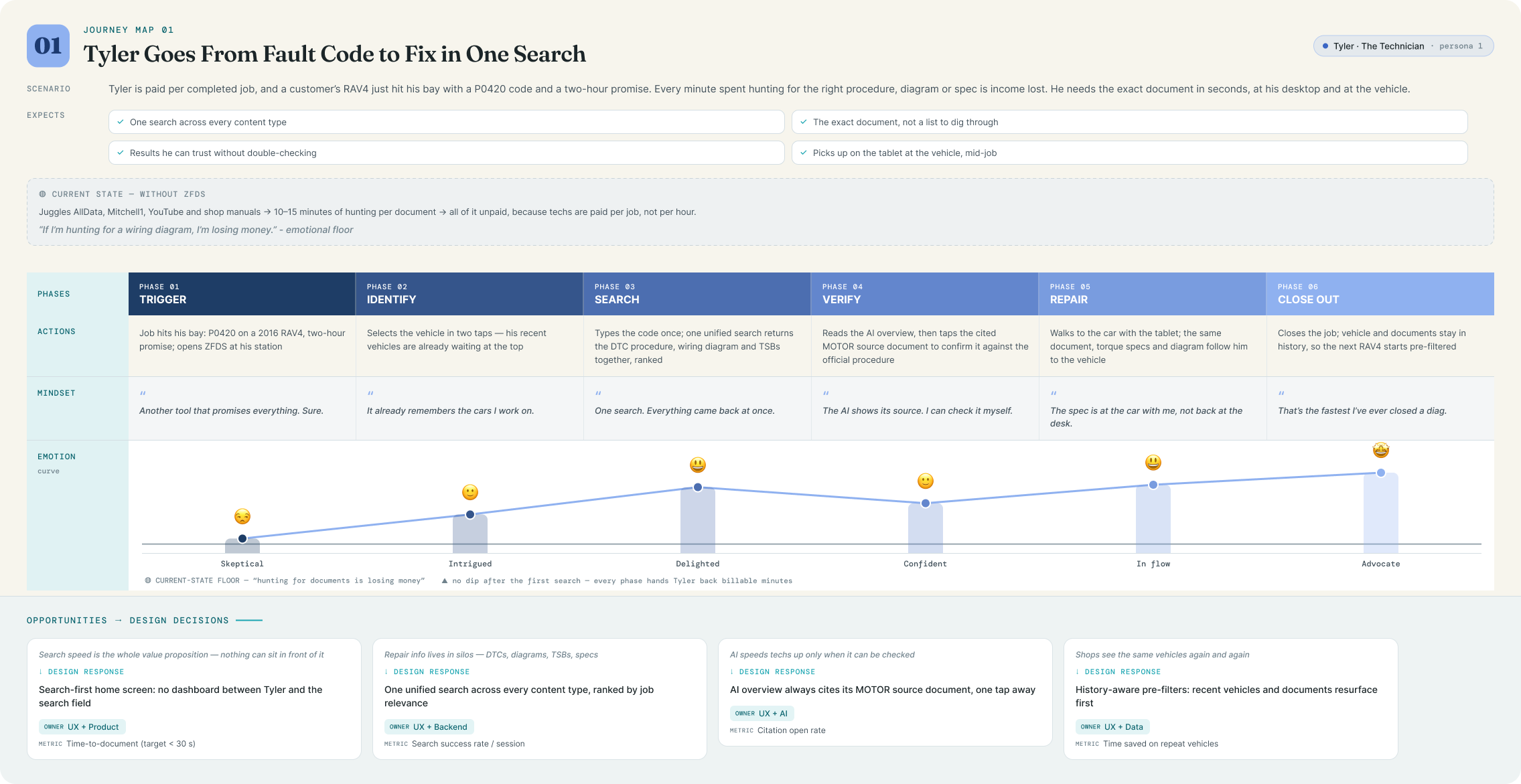
Journey map: Tyler goes from fault code to fix in one search: trigger, identify, search, verify, repair and close out, with mindset quotes, an emotion curve and design opportunities per phase
2

Renee quotes and shares a job

Shop Owner

Review

Reviews the Service Docs a technician gathered, with the total estimated service time already summed.

Build

Starts a new quote; line items and totals calculate as she edits.

Client

Adds or confirms the car owner's client information on the quote.

Share

Sends the draft or finalized quote to the client by email, without leaving the tool.

Track

Follows it through Draft, Open and Archived so nothing slips.

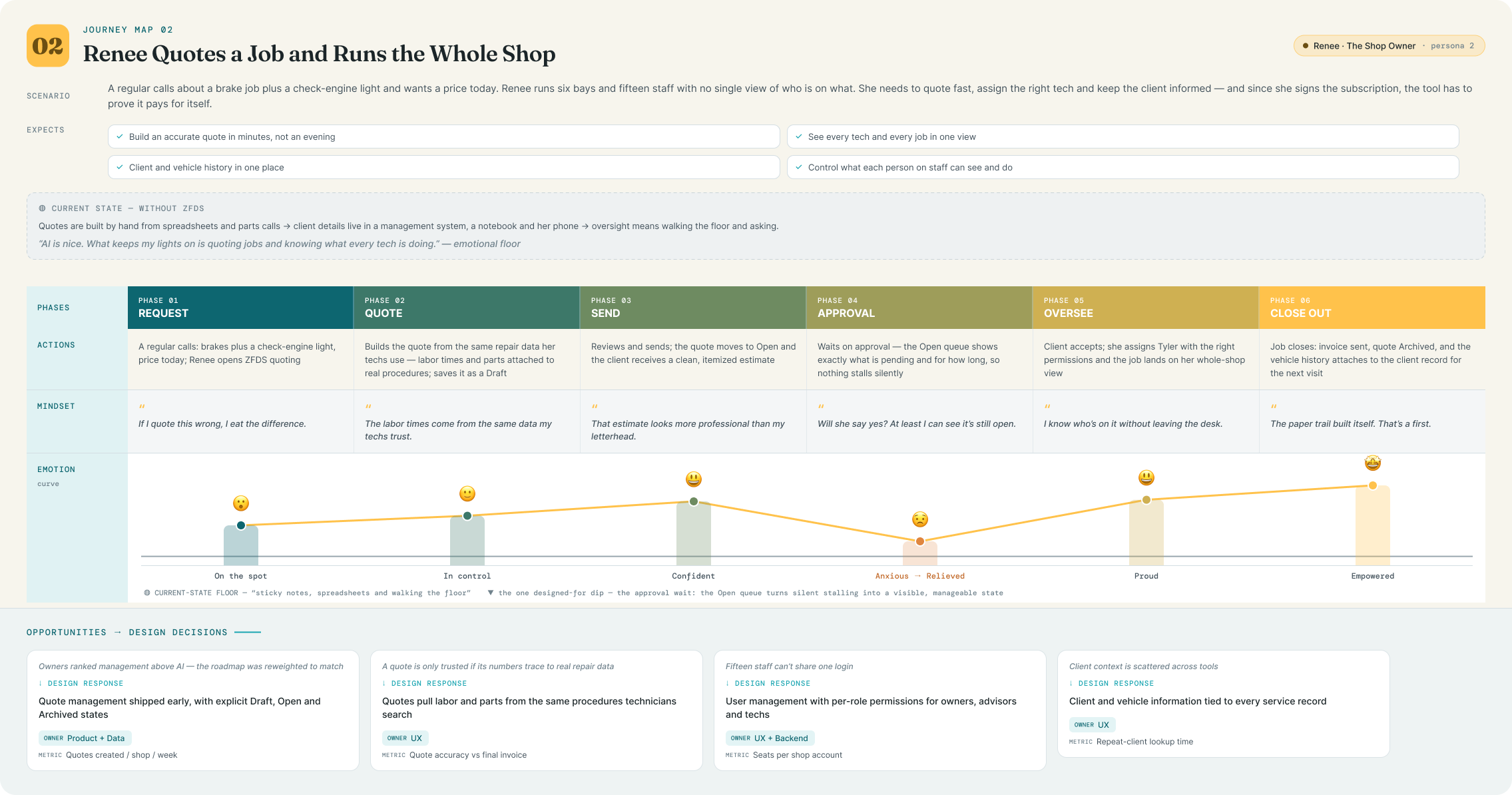
Journey map: Renee quotes a job and runs the whole shop: request, quote, send, approval, oversee and close out, with the emotion curve dipping at the approval wait
3

Hank verifies before he trusts

Veteran

Search

Searches a procedure he already knows cold, to put the tool to the test.

Read source

The AI overview appears, but he goes straight to the cited OEM document.

Verify

Checks the spec against the source he has always trusted. It matches.

Relate

Follows the Relations panel to the connected diagram and component location.

Adopt

It was faster than his old tool, with the source one tap away. He is sold.

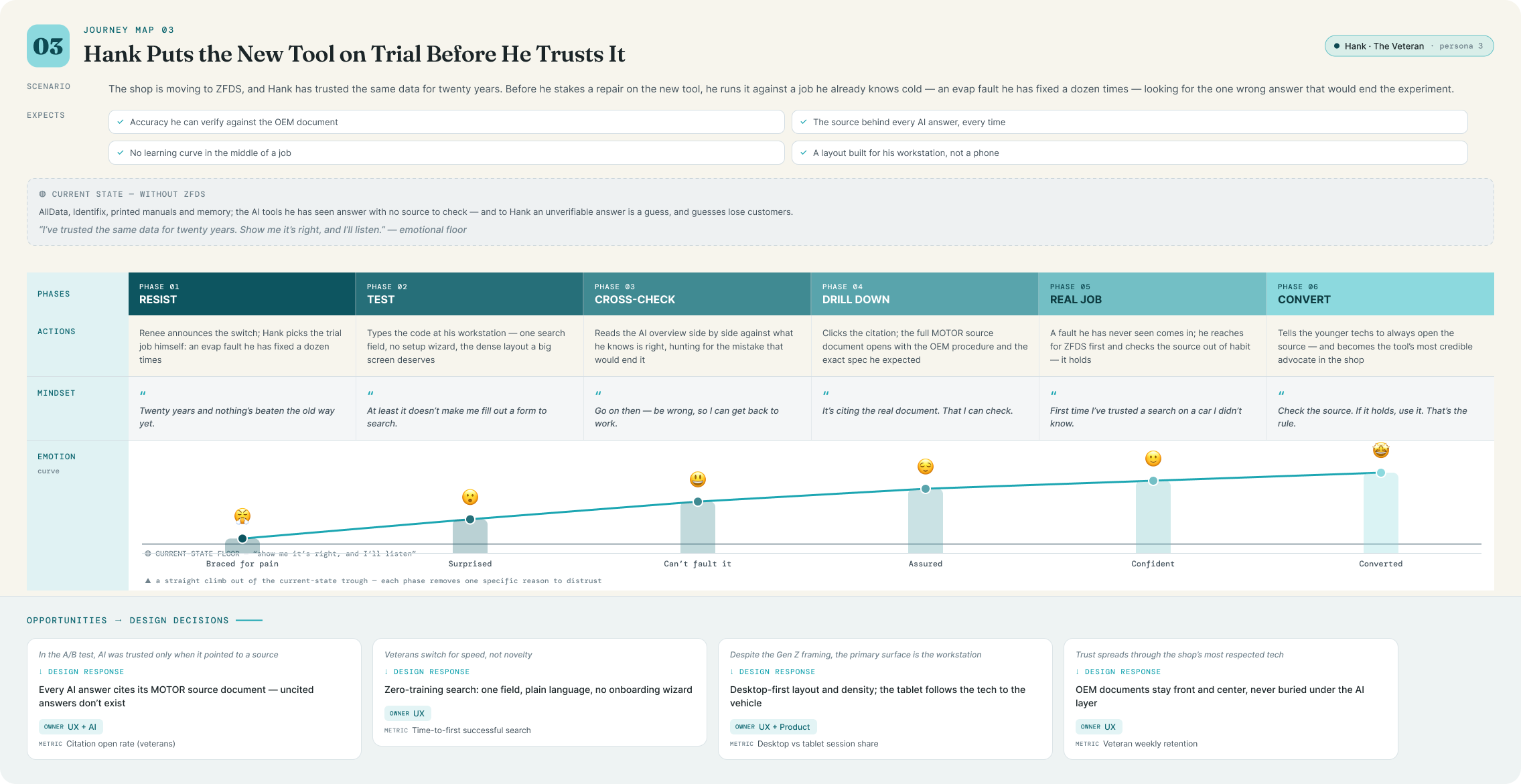
Journey map: Hank puts the new tool on trial before he trusts it: resist, test, cross-check, drill down, real job and convert, a straight emotional climb out of skepticism

1 / 3

06 High-Fidelity Design

A clean, fast, modern interface for dense data

With the structure validated in the field, I built the high-fidelity system: a premium, consumer-grade interface that still carries deep technical data. This is the layer technicians kept calling "beautiful" in the round-two sessions, and that reaction carried weight: a modern interface was the clearest reason they gave for considering a switch. The search-first home screen and the visual vehicle selection shown earlier are the spine of it; the work below is where the density lives.

A design system built to scale

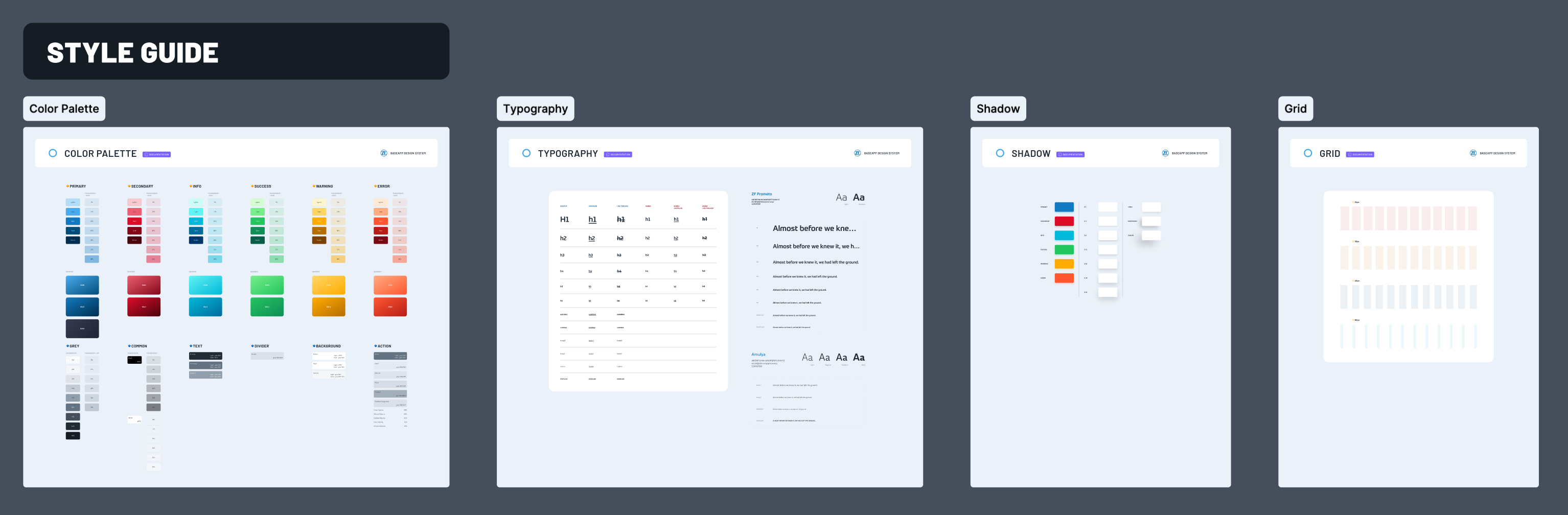
Every surface was built on a shared component library, from navigation and search to chips, cards, content viewers and drawers, so the whole product feels like one thing. It was designed toward WCAG AA and for the desktop-primary reality the research confirmed, with a tablet experience for use at the vehicle.

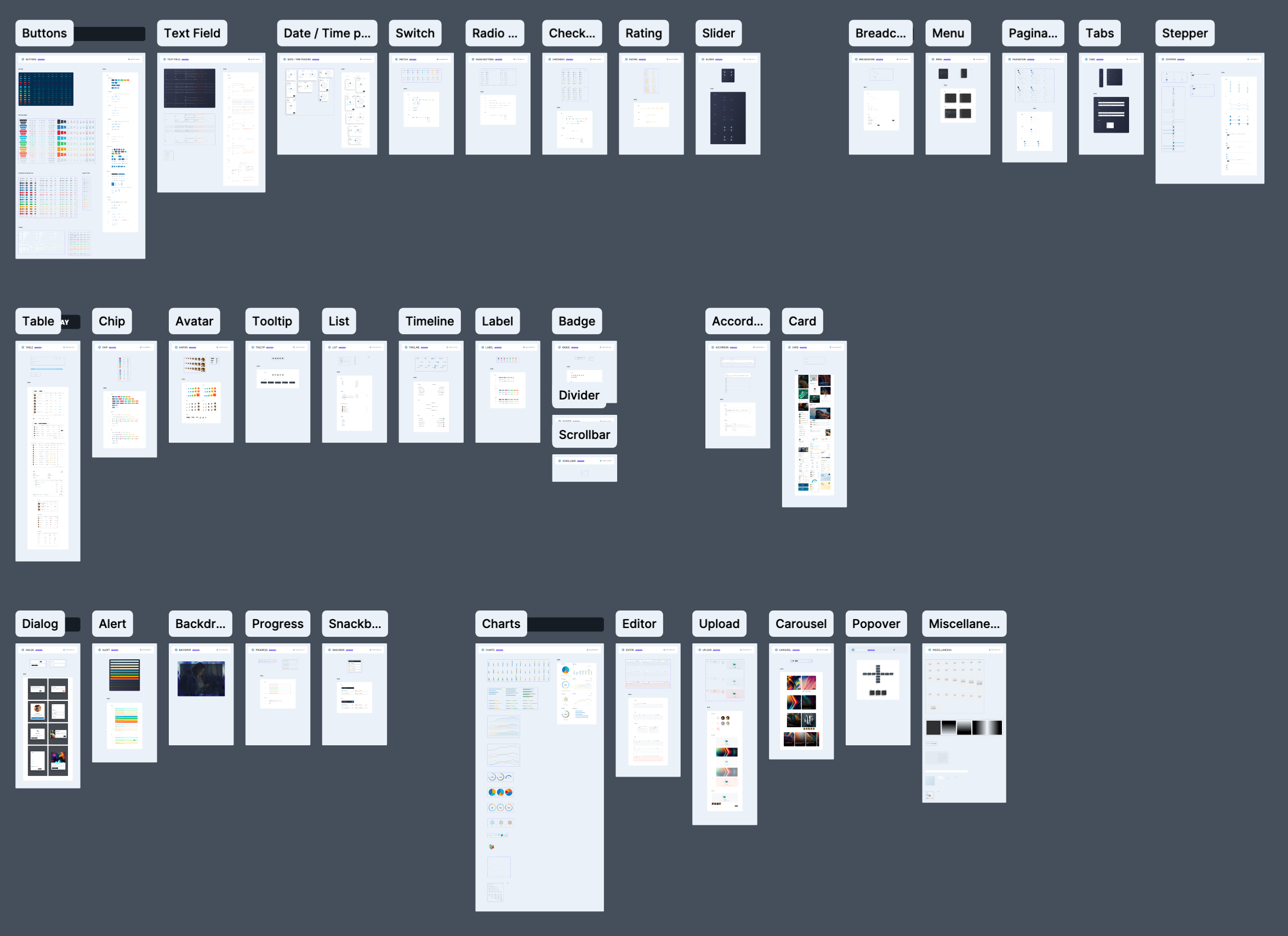
The ZF Diagnostic System design system: color and typography foundations laid out on a board
The ZF Diagnostic System design system: reusable components including buttons, inputs, chips and cards

Content pages · the core of the product

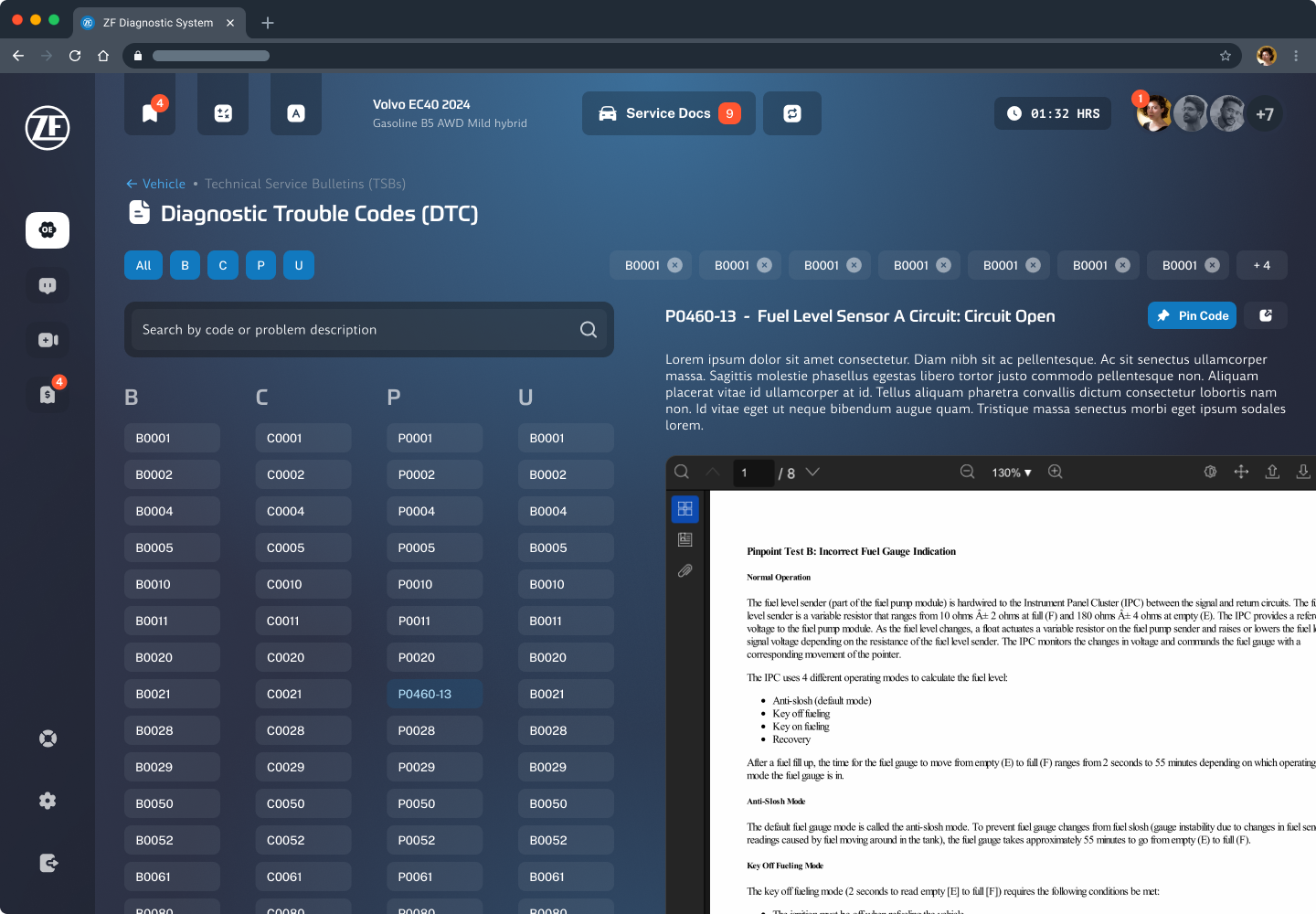
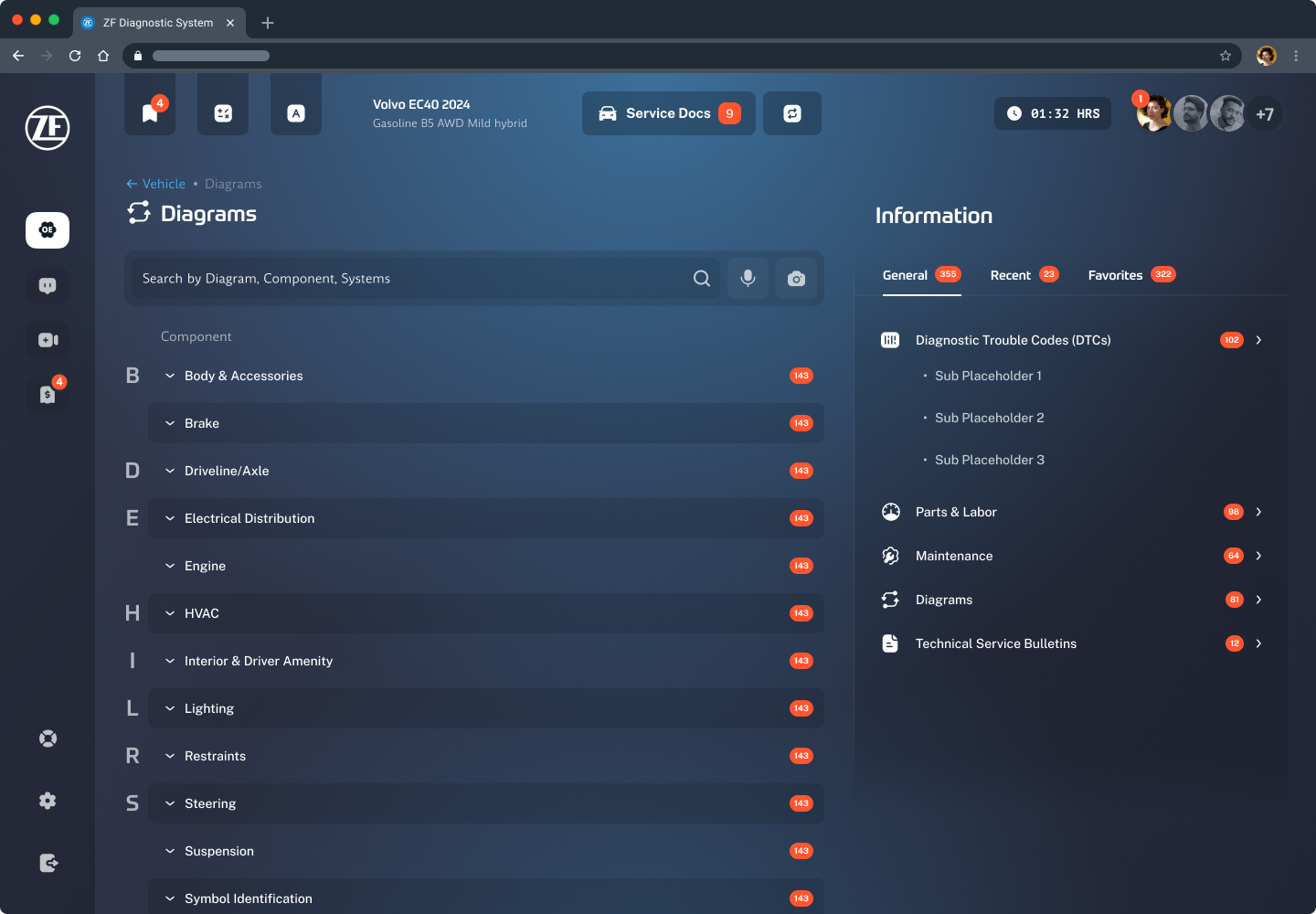
Each content type (DTCs, TSBs, diagrams, procedures, locations and specifications) has a category list with MOTOR relations, history-aware pre-filters, and a detail page that pairs the source document with its related items. This is the screen that delivers on "find the answer fast": the wiring diagram or procedure sits on the left, everything MOTOR relates it to sits on the right, and the technician can add it straight to a quote or the service docs.

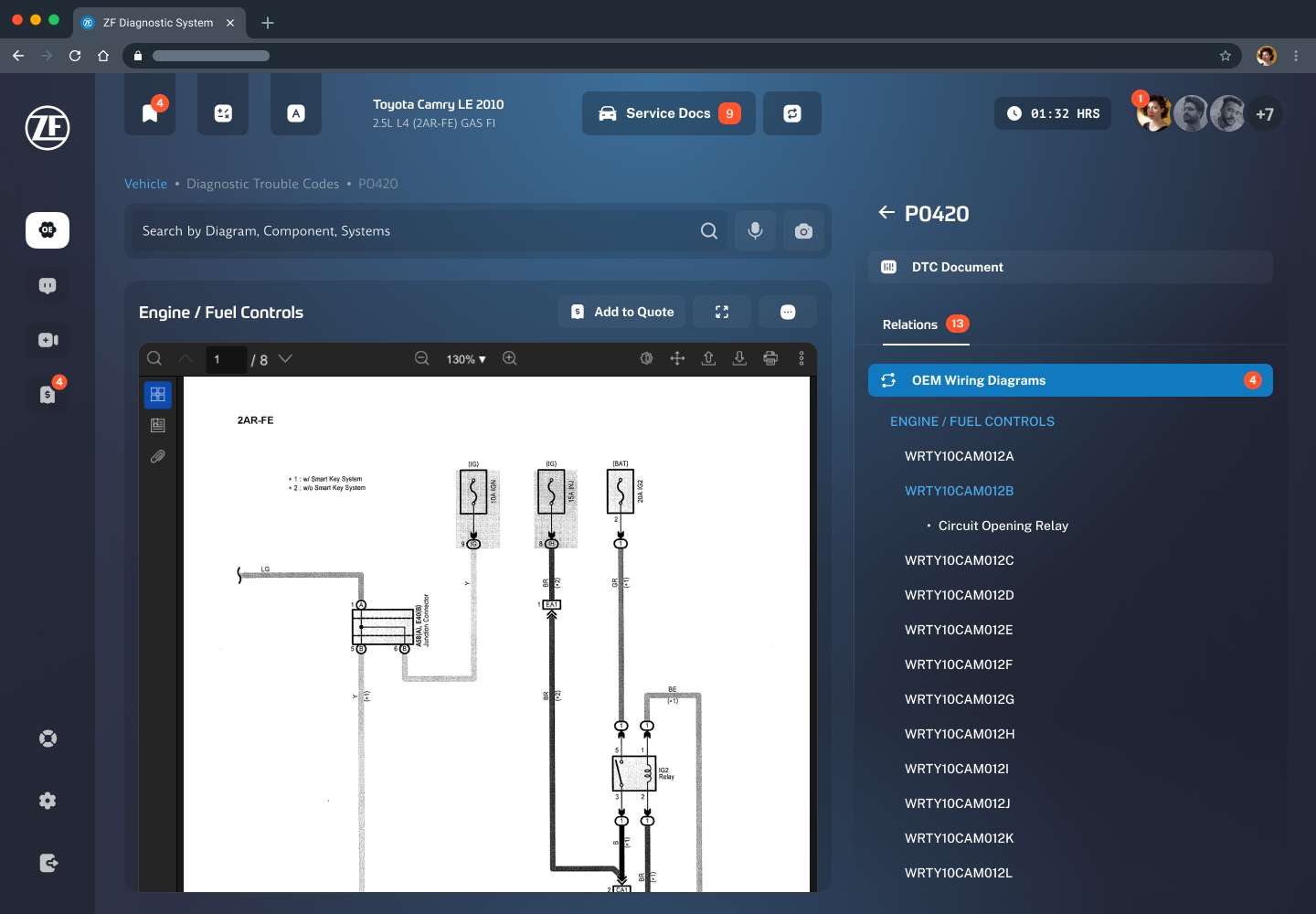
Document plus relations. The source PDF viewer sits beside a Relations panel that surfaces every connected wiring diagram, procedure, component location and spec, so a lookup opens more paths instead of dead-ending.

History-aware pre-filters. Lists lean on the shop's and the technician's own history for the selected car, so the most likely result is usually already near the top.

Act without leaving. Bookmark, add to service docs, add to a quote or print, all from the document itself.

A DTC detail page for code P0420 showing an engine and fuel controls wiring diagram in the document viewer, with a Relations panel listing four related OEM wiring diagrams and an Add to Quote button
DTC detail: source document beside its MOTOR relations
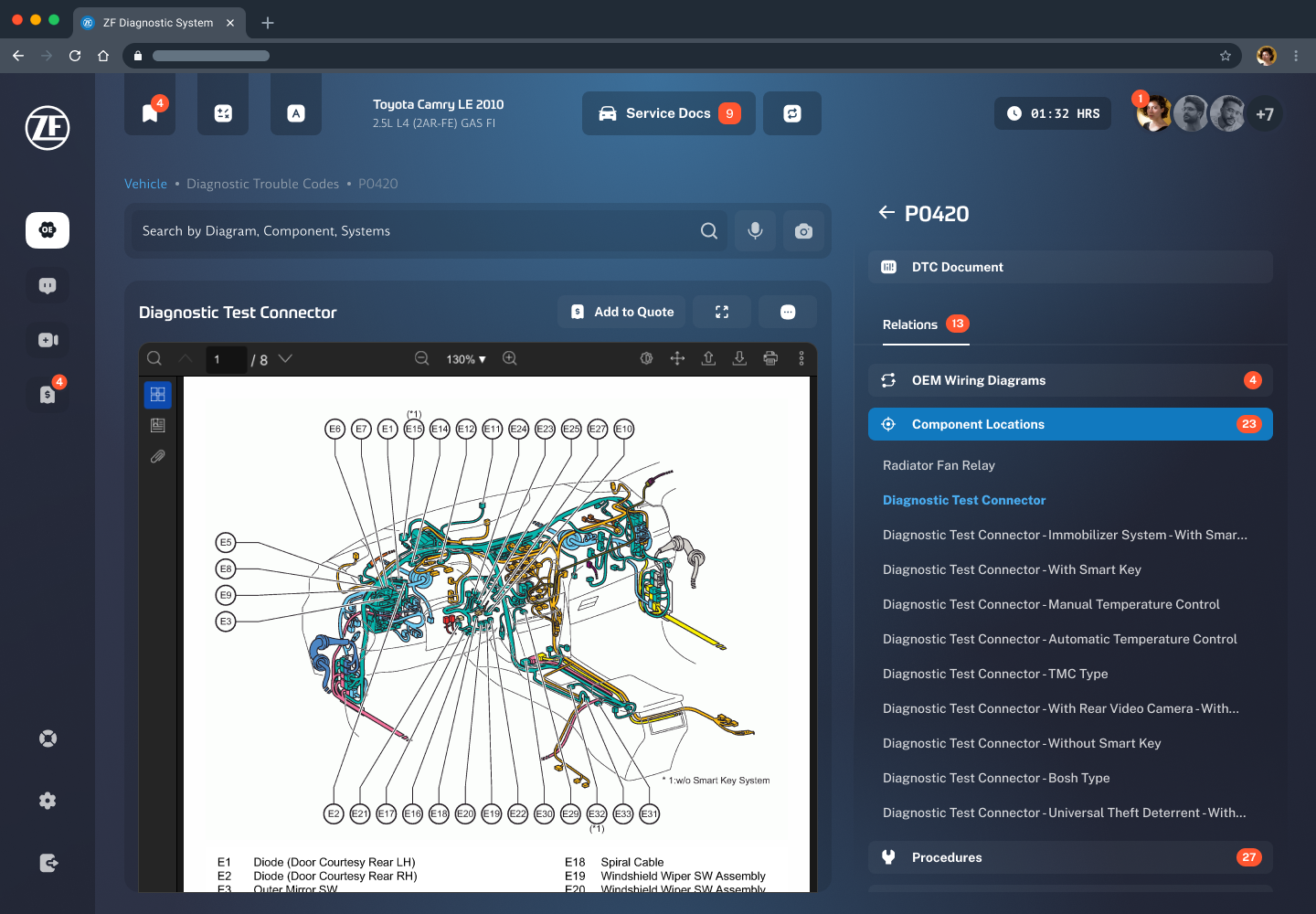
A content detail page showing a diagnostic test connector component-location diagram, with a Relations panel listing OEM wiring diagrams, twenty-three component locations and twenty-seven procedures
Relations expanded: component locations and procedures
A ZF Diagnostic System content page showing repair information for the selected vehicle with the document viewer and related items
A content list and detail view across the repair library
Another ZF Diagnostic System content page showing a procedure or specification document with its related MOTOR items
Procedures and specs follow the same document-plus-relations pattern

1 / 4

AI guidance · assist, don't replace

AI was part of the brief, but the research told us exactly where it belonged. Rather than bolt on a standalone chatbot, we designed AI as an assistant to search and to documents, so it always accelerates the technician toward a trustworthy source instead of trying to replace it.

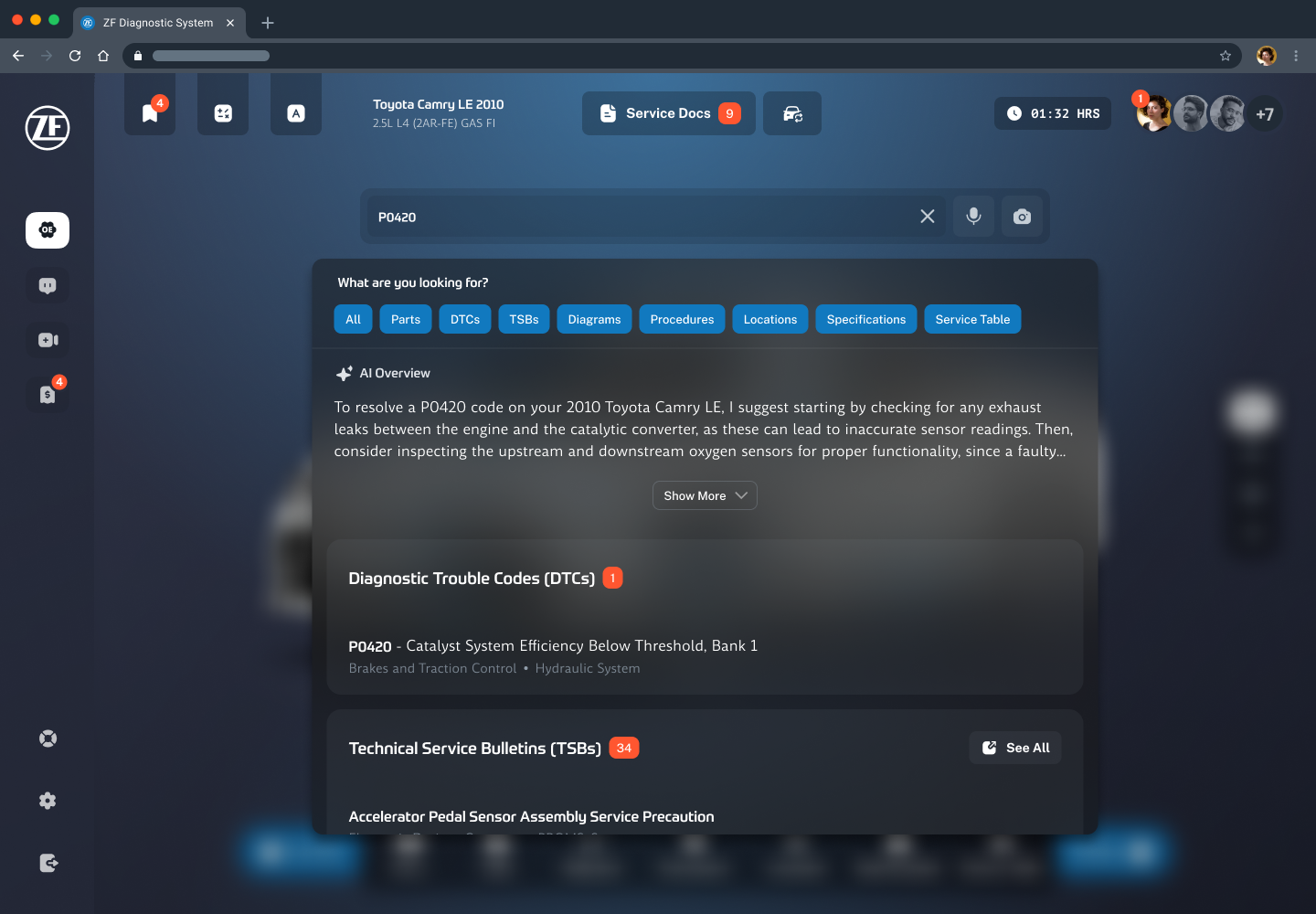
AI-assisted search. An AI overview interprets the query and surfaces the most relevant results across DTCs, TSBs, diagrams and more. In the on-site A/B test, the AI-assisted version measurably improved satisfaction.

Trust by citation. Technicians accepted AI most when it pointed to the underlying source document. Every AI answer stays anchored to real MOTOR content, matching the "give me speed, but I need to trust it" finding.

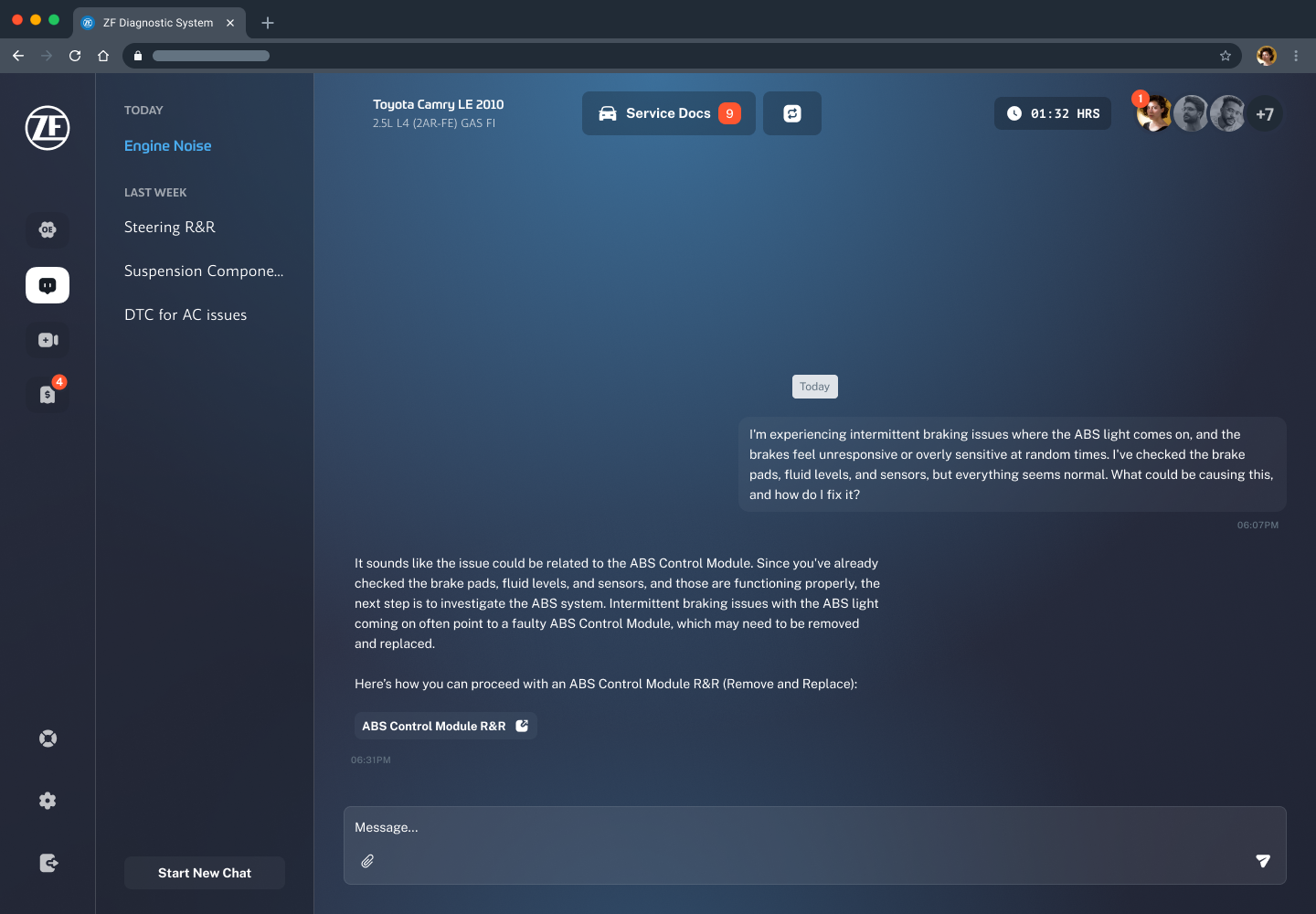
Quality kept in check. A scoped AI chat carries message rating, copy and chat history, plus admin alerts for potentially incorrect answers so quality stays under control as usage grows.

AI-assisted search in the ZF Diagnostic System: a search for code P0420 with category chips and an AI Overview explaining how to resolve the code, followed by matching diagnostic trouble codes and technical service bulletins
AI-assisted search: an AI overview on top, real cited results below
The scoped AI chat within the ZF Diagnostic System, tied to the selected vehicle, with message actions and chat history
A vehicle-scoped AI chat, with rating, history and admin alerts for bad answers

Service Docs & service management

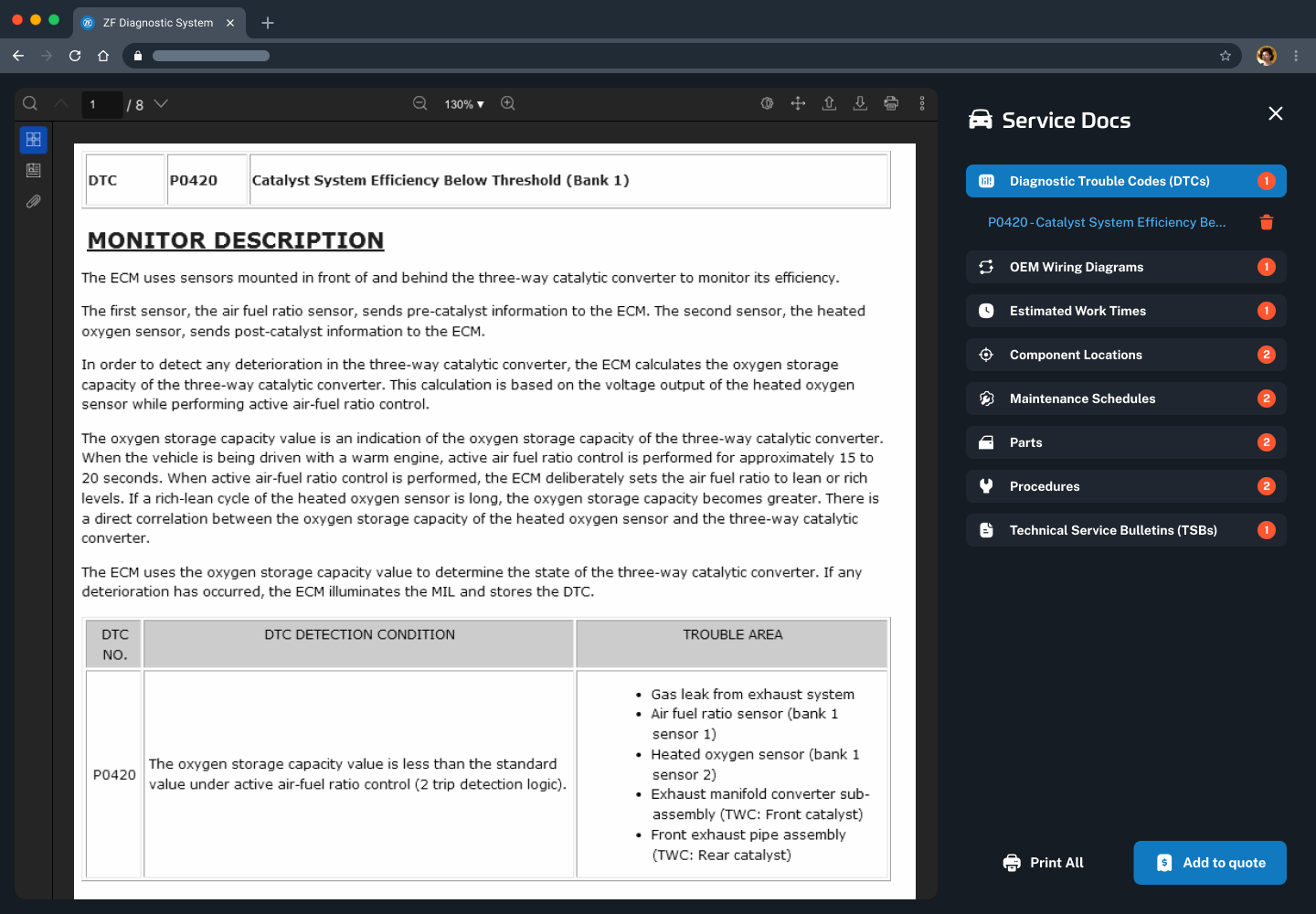
Technicians collect the documents relevant to a job into Service Docs, see a running total estimated service time, track who added what, and complete the service cleanly. Multiple technicians can be attached to a single service, which is how the tool fits a real shop rather than a single-user assumption.

The Service Docs panel in the ZF Diagnostic System, listing the documents gathered for a job with a total estimated service time and a log of who added each item
Service Docs: everything a job needs in one place, with total time and an add log

Quote management · for the owner

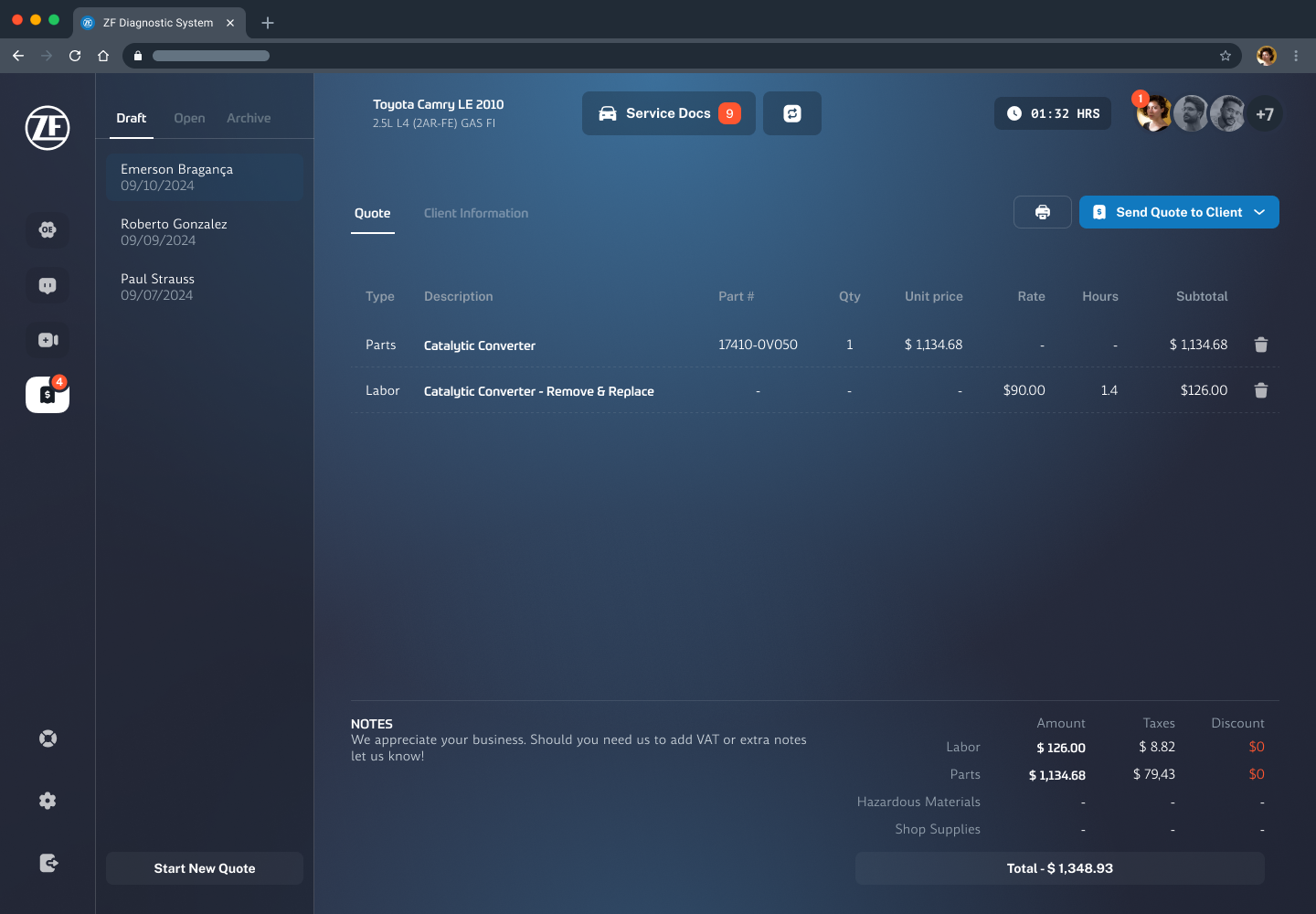
This is the answer to the owner findings. Create and edit a quote, calculate totals, manage client information, and share a draft or finalized quote with the customer by email, organized by Draft, Open and Archived. It is the feature owners told us mattered more to them than AI, so it earned a first-class place in the product.

The quote management screen: a quote form with line items and calculated totals, client information, and tabs for draft, open and archived quotes
Quote management: build, calculate and share a quote, organized by status

Research impact · Owners consistently ranked management and quoting above AI, so the roadmap gave this the weight the original concept had underplayed.

Share Your Work · community

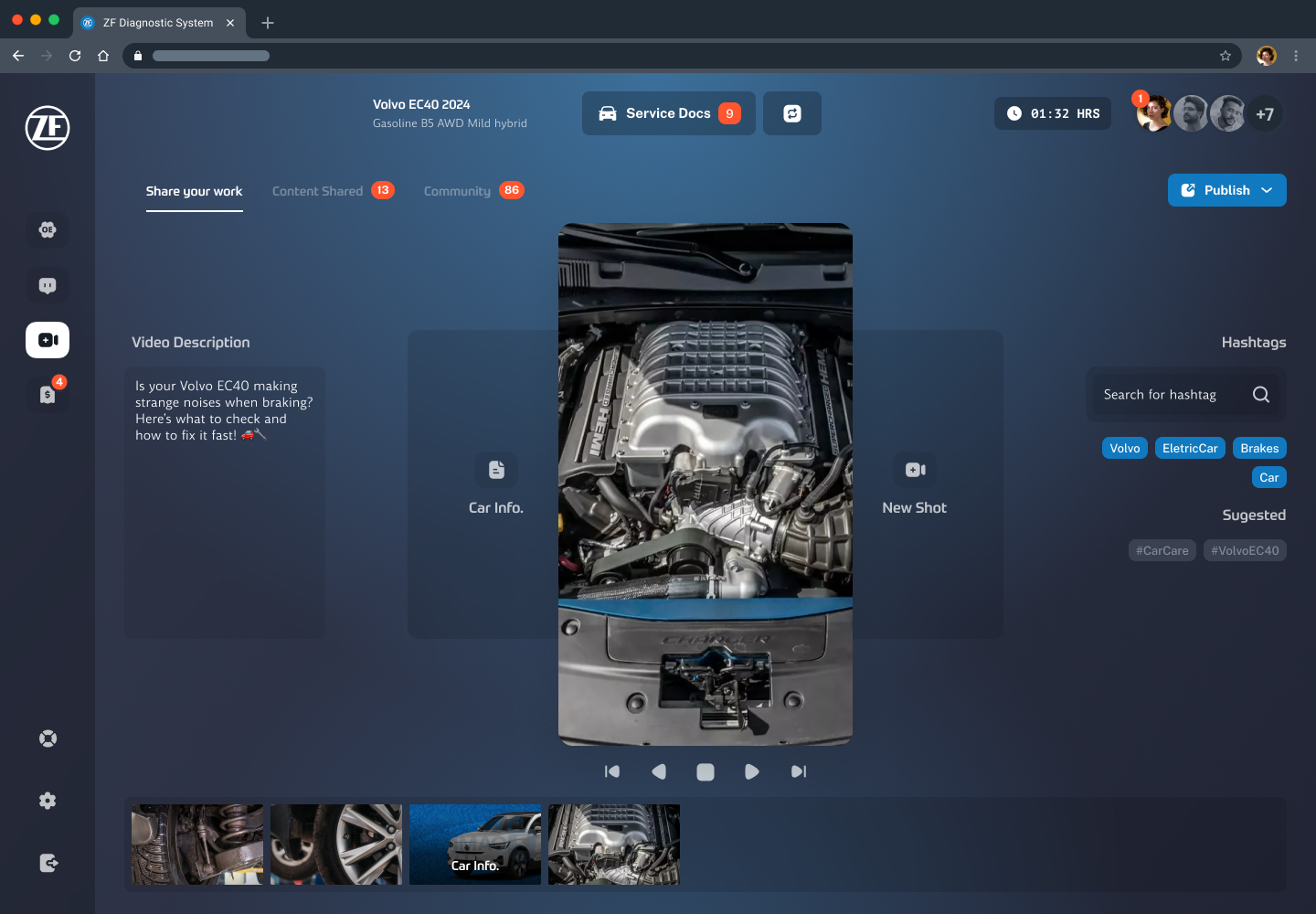
A lightweight community where technicians can post a job and comment on others, share fixes and learn from the shop network. It started as an ambitious set of forums; the research pushed it toward a simpler, more realistic post-and-comment model that fits how technicians actually behave (see the recommendations below).

The Share Your Work community feature: a feed of technician posts about repairs with comments and interactions
Share Your Work: a post-and-comment community, deliberately scoped down from full forums
07 Outcomes & Recommendations

What the research changed, and what we delivered

Because my role covered discovery and design, the outcomes are about the decisions the research drove and the roadmap the client took forward, not live production metrics. The final report drew a hard line between what the research had established and what still needed validating.

What the research changed

Reframed the social feature. The ambitious community-forum idea was scaled back to a simpler post-and-comment model that fit how technicians actually behave.

Embedded AI into search and documents rather than as a standalone chatbot, matching the "trust the source" finding and the A/B result.

Prioritized owner tooling such as management, quoting and client info that the initial concept underweighted, once owners told us it mattered more than AI.

Confirmed desktop-primary, which reshaped layout priorities away from a mobile-first assumption.

Validated in testing

AI-assisted search improved user satisfaction in the on-site A/B comparison.

The high-fidelity design was consistently called modern and named as a reason to switch, directly addressing the incumbents' biggest weakness.

Delivered to the client

A prioritized roadmap with a scoped MVP of 844 story points across foundation, vehicle select, content, quoting, AI and analytics.

A branding direction as a proposal for the product's market positioning.

Architecture and feature specifications to hand the build team a clear starting point.

08 What I Learned

Takeaways

Context beats the lab. Testing on the shop floor, with technicians under real time pressure, surfaced truths (desktop-first, speed above all) that a conference-room test would have missed.

Talk to both sides of a two-sided product early. Interviewing owners as well as technicians reshaped the roadmap. If I had only tested with the primary user, the owner tooling would have been an afterthought.

AI needs a job, not a spotlight. The research gave AI a precise, trusted role, to accelerate search and cite the source, instead of making it the product's identity. Constraining it made it more valuable.

A modern interface is a business argument. In a market of dated incumbents, "beautiful and fast" was not vanity, it was the single clearest reason technicians gave for switching.

Recruiting is part of the research. An outreach conversion around eleven percent taught me to plan recruitment as seriously as the sessions themselves.

Get in touch

Want to hear what testing a prototype on live shop floors taught us? The full research story is a call away.

All Projects Next: Longeviti Health